BATTERY
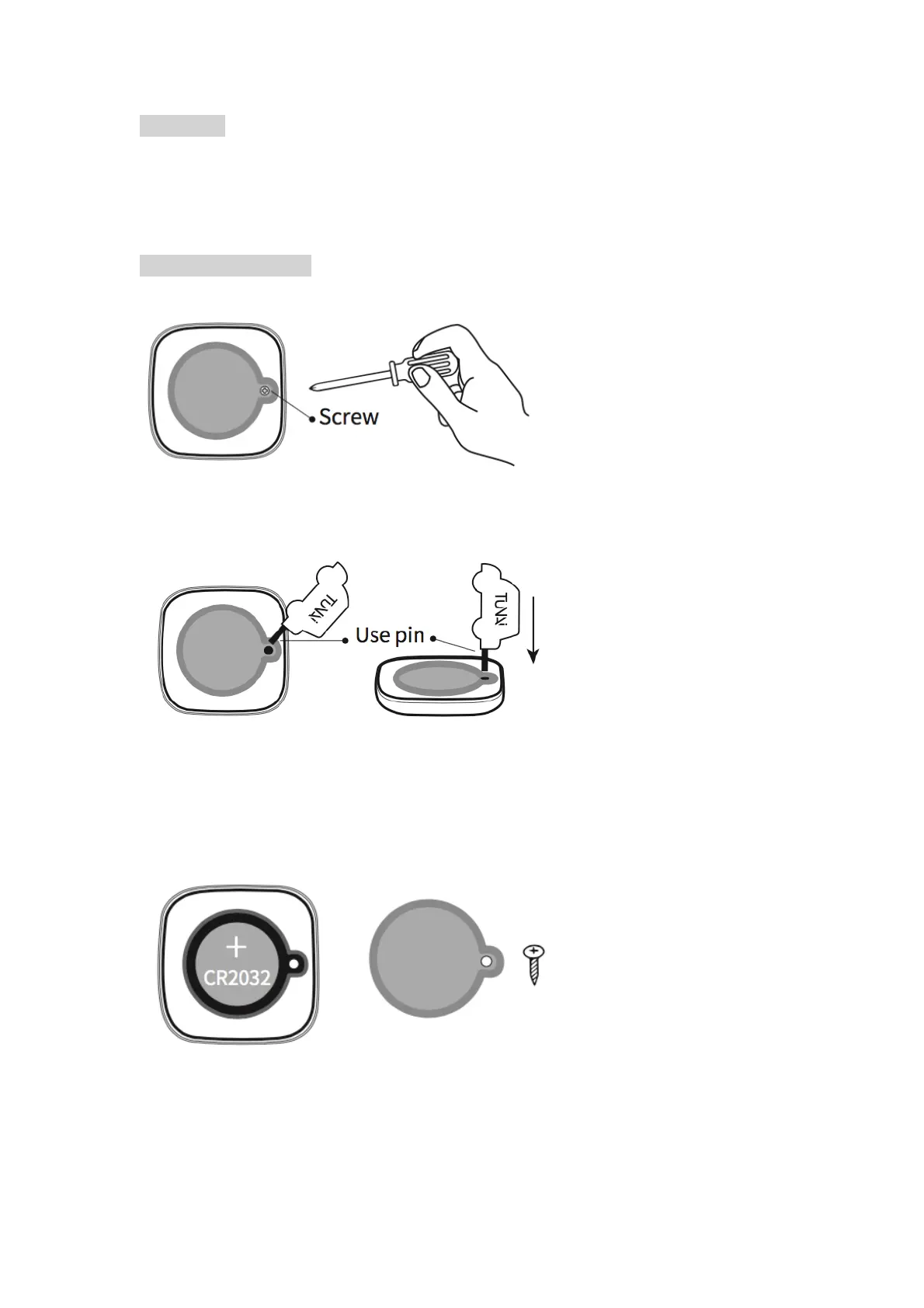
1. TUNAI BUTTON uses a standard CR2032 battery.
2. TUNAI BUTTON can operate up to 3 years with a standard CR2032
battery. This is based on 2 hours connection and 10 key press per day.
CHANGE BATTERY
1.Remove the screw on back of TUNAI BUTTON
Note: TUNAI BUTTON does not ship with a screw.
2.Use the pin included to open the battery case.
Note: Please use the pin included to open the back cover. Any scratches or
damages on the back cover caused by improper usage of other tools to open
the case will not be covered by the warranty.
3.Use only the standard CR2032 battery.


 To Next Page