
 Need help?
Do you have a question about the Tunai Firefly and is the answer not in the manual?
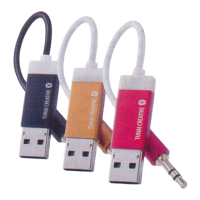
Connect the FIREFLY USB Connector to the USB port on the audio system or use a USB adapter.
Plug the FIREFLY 3.5mm connector to the AUX input, with notes on using extension cords.
Stream music from your device to the FIREFLY after successful Bluetooth connection.
Access user manuals, tutorials, customer support, and warranty information.
 General
| Audio Codec | SBC |
|---|---|
| Frequency Response | 20Hz - 20kHz |
| Range | 10 meters |
| Bluetooth Profiles | A2DP |
| Output | 3.5mm |
| Power Source | USB |

 To Next Page