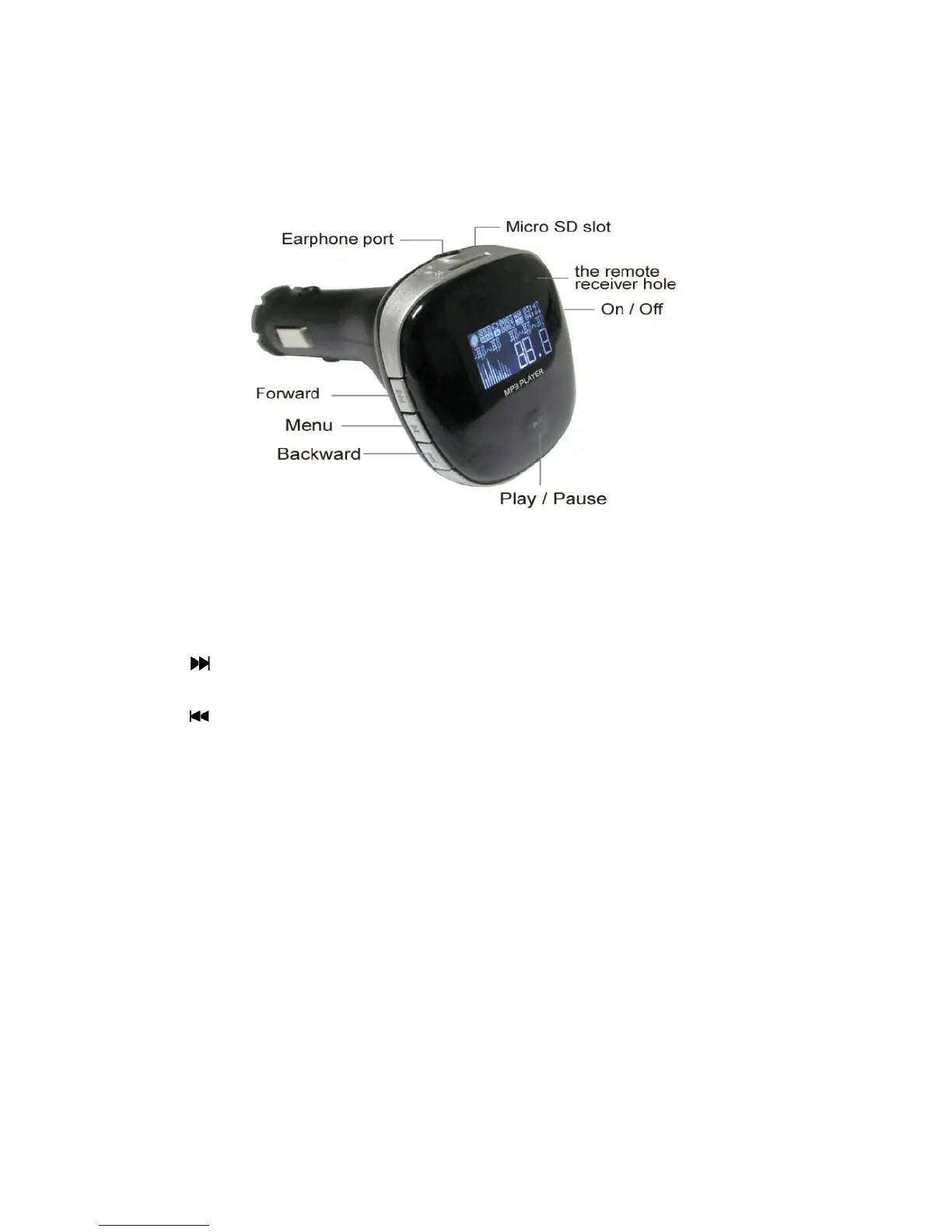
Key Function Guide:
1."M" key: Short press: confirm and enter into next level interface.
Long press: change to the Manu interface.
2." " key: Short press: choose the next item or file.
Long press: Increase the volume.
3." " key: Short press: chose the previous item or file.
Long press: Decrease the volume.
4."PLAY" key: Short press: play/pause. When in the submenu, press this button to back to
previous page. Long press: software on/ off.
Main Function
1. Music mode: Supports MP3/WMA/APE format files, supports synchronous display of lyrics
( lyrics must be "lrc"format, and the file must have the same name with the song)
2. Radio mode: Supports full frequency FM receiving. (When listening to the FM radio, please
plug into earphone (not included) to get a good sound effect, the earphone can be used as
antenna.)
3. Text Mode: Supports textbook reading.
4. Setting Mode: Supports the display and setting of all function features, supports ADFU
recovering, USB updating and 24 kinds of languages.
5. Supports Micro SD card.
6. Supports charging Ipod/iPhone/mobile phones and other digital products. (Output voltage:
+5V, Current: 2A)



 To Next Page