
 Need help?
Do you have a question about the Tunstall Lifeline Smart Hub and is the answer not in the manual?
Defines the guide's objective and scope for installers.
Lists the DMP and Smart Hub firmware versions covered by the document.
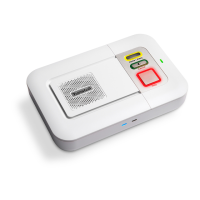
Provides a general description of the Lifeline Smart Hub and its capabilities.
Explains how the Smart Hub connects to the monitoring centre.
Details formatting rules used throughout the manual for clarity.
Lists other relevant documentation for the Smart Hub and DMP.
Details the physical components and views of the Smart Hub unit.
Identifies controls and indicators on the front and top of the Smart Hub.
Details ports and connectors on the rear of the Smart Hub.
Identifies connections and features on the base of the Smart Hub.
Explains the meaning of the Smart Hub's LED indicators and button states.
Describes the TX4 and MyAmie personal radio triggers and their operation.
Guidance on selecting an optimal location for the Smart Hub.
Instructions for connecting cables and powering on the Smart Hub.
Steps to connect the Smart Hub via a fixed line broadband connection.
Procedure for connecting the unit to mains power.
Procedure to verify the Smart Hub is using its internal antenna.
Steps to test and evaluate the cellular signal quality.
Instructions for connecting and positioning an external cellular antenna.
Steps to prepare sensors for virtual property exit monitoring.
Procedure for registering new wireless triggers and sensors.
How to test the operational range of registered triggers and sensors.
Instructions for connecting wired input and output devices.
Details for connecting wired input devices to the Smart Hub.
Details for connecting wired output devices to the Smart Hub.
Methods for physically mounting the Smart Hub.
Guidance on permanently fixing the external antenna.
Instructions for mounting the Smart Hub using a pattress.
Instructions for mounting the Smart Hub directly to a wall.
Steps to attach the optional table stand to the Smart Hub.
Steps to access the Device Management Platform and its configuration interface.
Procedure for setting the correct time zone for the Smart Hub.
Settings for voice announcements, volume, and language.
Options for pendant audio feedback during alarm calls.
Settings for Ethernet and cellular data connections.
Details for setting up call sequences and destinations.
Process for adding and configuring peripheral devices.
Setup for monitoring property exit using sensors.
Settings for monitoring ambient temperature and triggering alerts.
Configuration for detecting and reporting user inactivity.
Settings for connecting and managing wired input devices.
Feature to allow local alarm cancellation at the Smart Hub.
Customizing how the Smart Hub responds to various events.
Setting time windows to block specific event alarms.
Settings for the Home/Away mode functionality.
Setting up regular communication checks with the monitoring centre.
Settings for monitoring power failures and alerts.
Adjusting how the unit responds to incoming calls.
Suppressing audible announcements during firmware updates.
Process for saving configuration changes and applying them to the unit.
Verifying the wireless range of registered triggers and sensors.
Ensuring alarm calls are correctly routed and received by the monitoring centre.
Validating the virtual exit sensor's alarm functionality.
Testing the activation of hardwired output devices.
Final checks and user instruction before the unit is operational.
Details regarding battery specifications and disposal.
Specifications for the Smart Hub in European regions.
Specifications for the Smart Hub in Australian regions.

 To Next Page

 General