
 Need help?
Do you have a question about the turbionaire comfy and is the answer not in the manual?
Safety warnings and precautions for operating the air conditioner.
Ensuring safety before and during repair of appliances with R290 refrigerant.
Managing ignition risks and ensuring adequate ventilation during repairs.
Checks for equipment, electrical devices, and procedures for repair and charging.
Procedures for decommissioning, labelling, and recovering refrigerants safely.
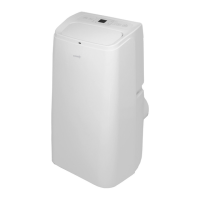
Highlights the new look, functions, and design aspects of the unit.
Lists and illustrates the various parts and components of the air conditioner.
Important warnings and guidelines for unit placement and initial setup.
Instructions for installing the exhaust hose and window sealing plate.
Steps for moving and connecting the air conditioner unit to the window.
Explains the operation interface and controls of the air conditioner.
Details on using the power, mode selection, and window display functions.
Guides on setting temperature, wind speed, and timer functions.
Instructions for operating the air conditioner using the remote control.
Describes frost, overflow, thermal, and compressor protection features.
Step-by-step guide for manually draining water from the unit.
Instructions for setting up continuous drainage for cooling and dehumidification modes.
Guidelines for cleaning the exterior surface of the air conditioner.
Procedure for cleaning the air filter screen to maintain performance.
Addresses issues like no electricity, unit not working, and poor cooling/heating.
Solutions for problems such as big noise, compressor not working, and remote control failure.
Explains error codes related to sensors, anti-freeze, and full water.
Steps to download and install the Smart Life application on your phone.
Creating an account, logging in, and managing passwords for the Smart Life app.
Procedure to add a smart device using the Normal connection mode.
Instructions for adding a smart device using the AP connection mode.
Steps to take if the device fails to add to the application.
How to manage and control devices once they are successfully added.
Setting up scenarios and managing personal account information within the app.
Setting up pattern unlock and sharing control of devices with others.
Accessing notifications, submitting feedback, and viewing app information.
Requirements for controlling smart devices using Google Home.
Steps to add devices to the Smart Life app for Google Home integration.
Guide to setting up the Google Home app and connecting to devices.
Assigning rooms and connecting Google Home to a Wi-Fi network.
Configuring Google Assistant, location, and music services.
Connecting the Smart Life account within the Google Home app's Home Control.
Examples of voice commands for controlling smart devices with Google Home.
 General
| Brand | turbionaire |
|---|---|
| Model | comfy |
| Category | Air Conditioner |
| Language | English |

 To Next Page
