5
II.
Driver Interface Introduction
1. Control Interface
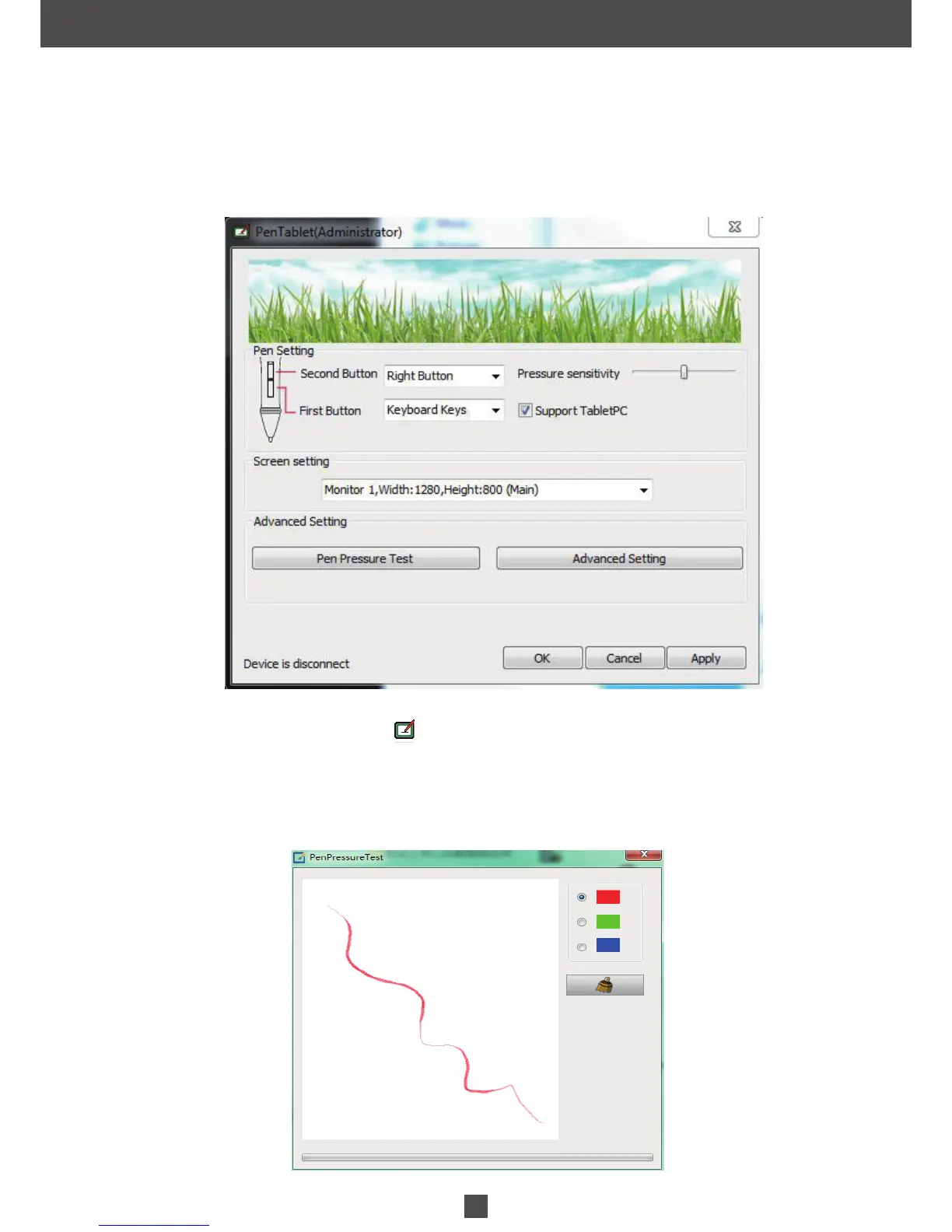
When you double click the driver tablet icon ( ) which normally appears in the system tray at the corner of the screen,
you will see the control panel (pictured above). It will display driven-related information.
Controlling the panel by digital graphic tablet can set up functions for the button of the digital pressure-sensitive pen,
regulate the pen’s pressure sensitivity and modify the workspace and shortcut keys.
1.1 Digital Pen Pressure Sensitivity Test
Click Pen Pressure Test into Pressure Sensitivity Testing


 To Next Page