TURING Vision Quick Start Guide – Smart Series Hardware Setup
9
Setting up NVR Remotely
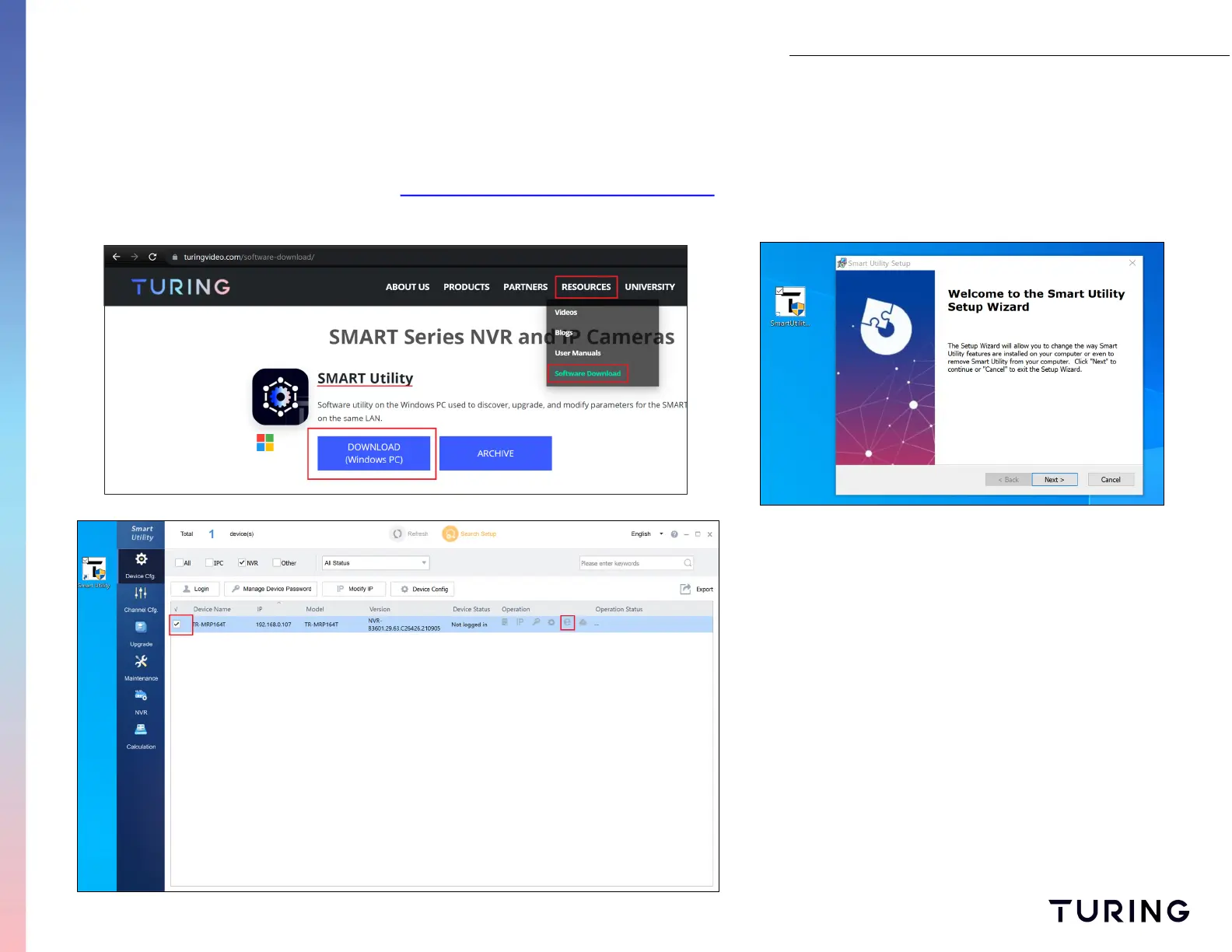
Use Smart Utility software to search and find NVR within the network.
Download and install software from link below: https://turingvideo.com/software-download/
Once you have installed the software, it will automatically
detect any devices connected to your local network.
Double click on the “E” icon to access NVR’s web login.


 To Next Page