EasyManua.ls Logo

Turing Vision Smart Series - User Manual

Turing Vision Smart Series
19 pages
Print Icon
To Next Page IconTo Next Page
Loading...
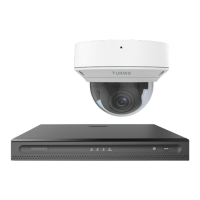
Smart Series: IP Cameras and NVR Hardware Setup
Congratulations on your purchase of a Turing Vision surveillance platform. This
guide will help you setup your hardware system for the firs time.
1
Question and Answer IconNeed help?

Do you have a question about the Turing Vision Smart Series and is the answer not in the manual?

Summary

Components

TURING VISION PRODUCTS

Lists the main Turing vision hardware products included in the package.

PERIPHERALS NEEDED (Not Included)

Lists the external hardware components required for system setup.

Connect Cameras and Router;Network to NVR

Connect Power to Monitor and Bridge

Connect Mouse and Keyboard

Turn on Components

Describes the procedure for powering on the NVR and bridge devices after connections are made.

Logging in using Monitor

Network Setting using Monitor

Setting up NVR Remotely

Setting up IP Cameras Remotely

Assign Passwords Remotely

Syncing Time Remotely

Setup Algorithms Remotely

Tips for Using Algorithms

Setting up the Software Component

Turing Vision Smart Series Specifications

General IconGeneral
Resolution1080p Full HD
Motion DetectionYes
Two-Way AudioYes
Weather ResistanceIP65
ConnectivityWi-Fi
StorageMicroSD card (up to 128GB)
Power SupplyDC 5V