TURING Vision Quick Start Guide – Smart Series Hardware Setup
16
Setup Algorithms Remotely
To utilize algorithms available for your NVR,
perform the following:
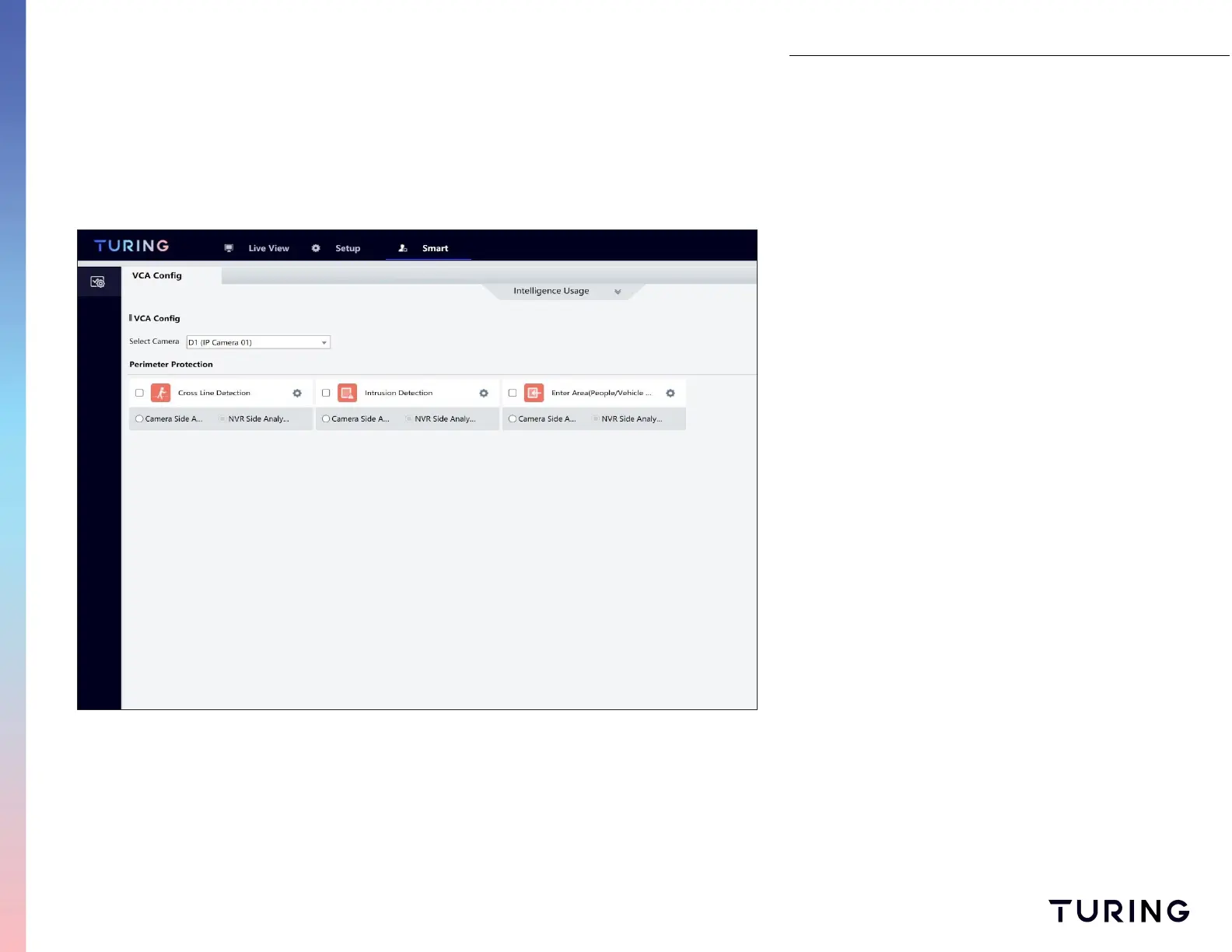
1. Select the SMART tab on the top menu;
2. Select camera from the pull-down menu;
3. Under Perimeter Protection select INTRUSION
DETECTION and ENTER AREA.
4. Back under the VCA CONFIG heading, select the
gear icons to apply algorithms. For this
example, select the ENTER AREA.
Note: Cross Line detection algorithms set in the IP
cameras are not included as events in the current
version of Turing Vision.


 To Next Page