TURING Vision Quick Start Guide – Smart Series Hardware Setup
17
Setup Algorithms Remotely (cont.)
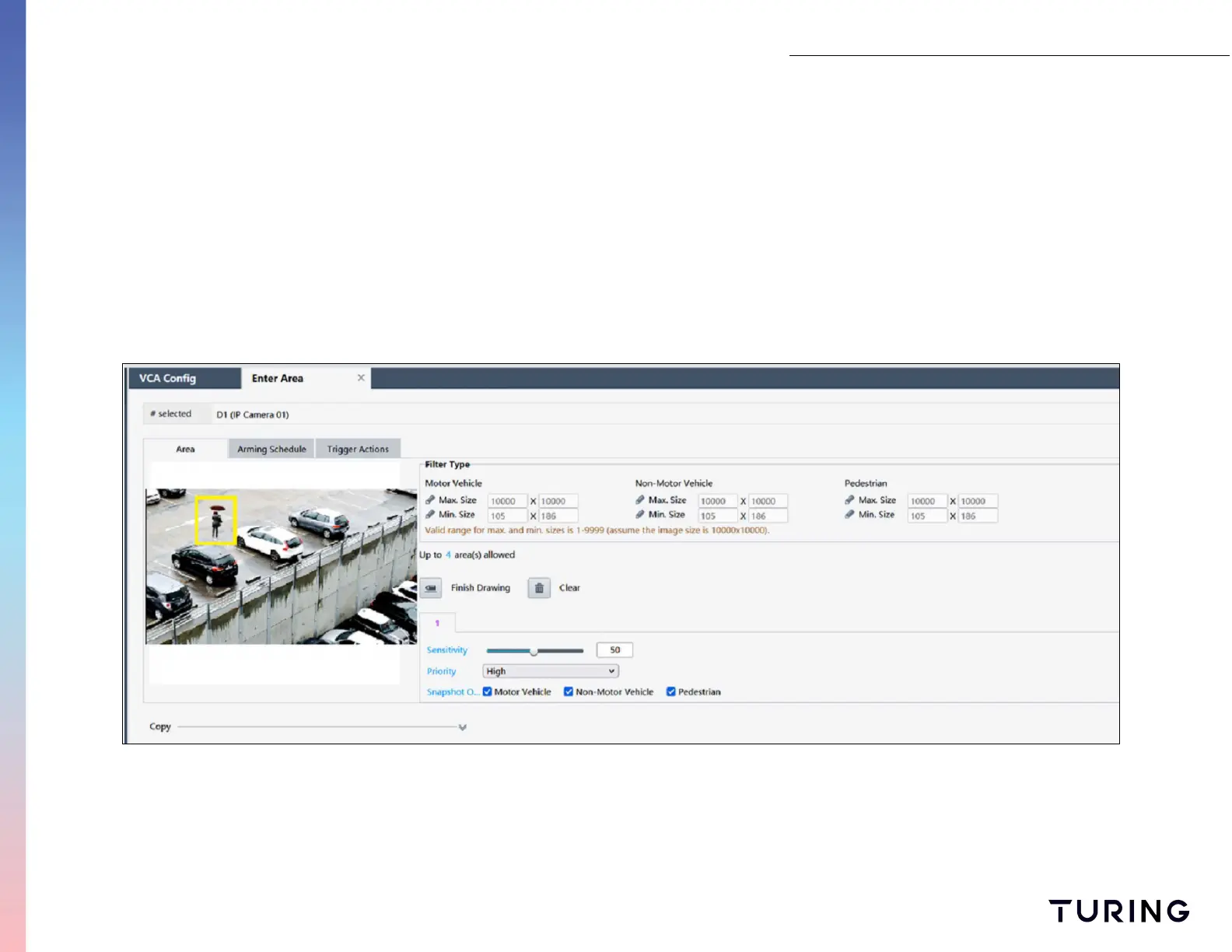
5. Draw four points around an object on the camera view;
6. Select the FINISH DRAWING icon;
7. Click the PEDESTRIAN snapshot;
8. Select save at the bottom to save the settings;
9. Repeat steps 4-8 for INTRUSION DETECTION algorithm.


 To Next Page