TURING Vision Quick Start Guide – Smart Series Hardware Setup
12
Setting up IP Cameras Remotely
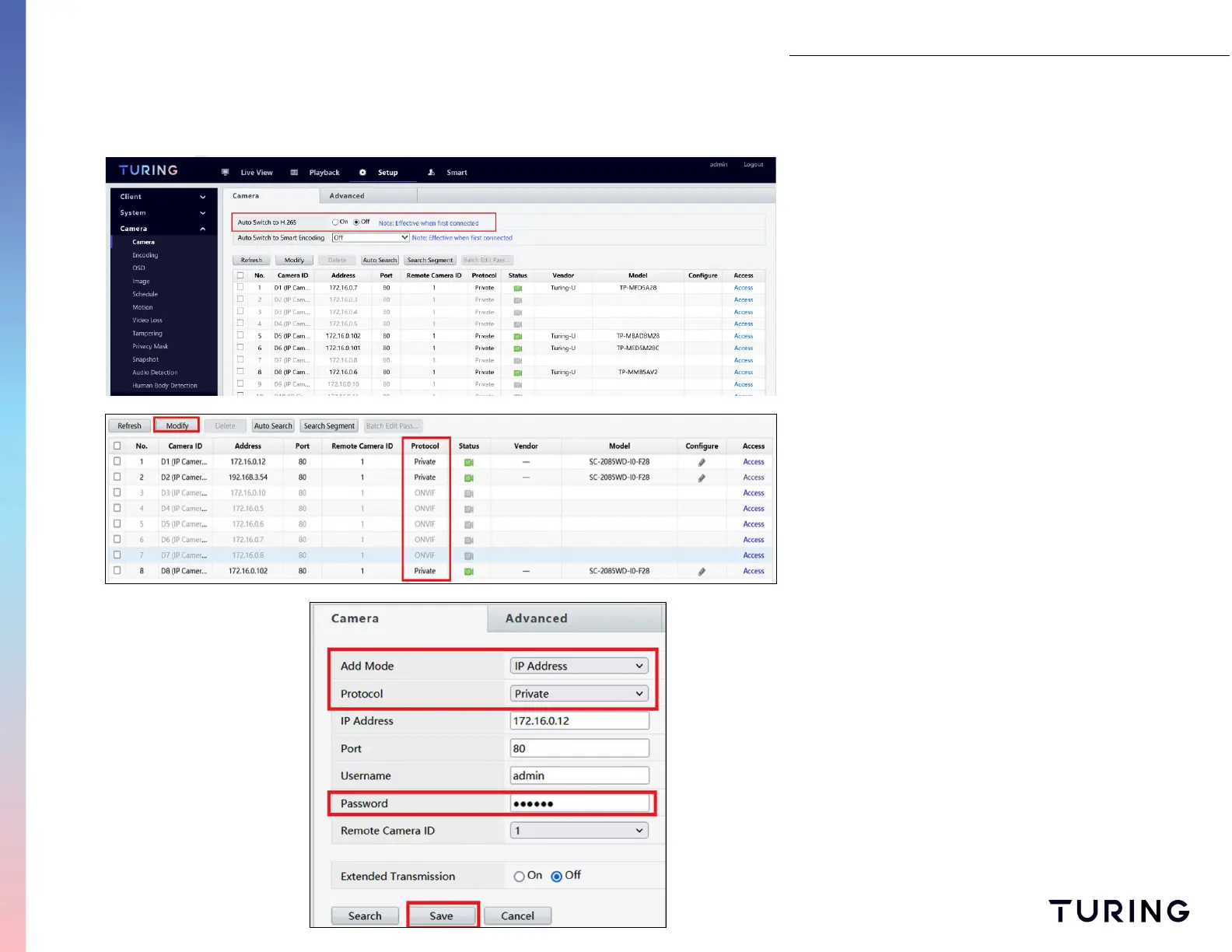
Select CAMERA on the side menu to view all
cameras connected to the NVR. When adding
new cameras, turn Auto Switch to H.265 OFF.
When installing new cameras, the protocols need
to be PRIVATE. To change these protocols,
perform the following:
1. Check the camera box number to change;
2. Select MODIFY;
3. Change Add Mode to IP ADRESS
4. Change Protocol to PRIVATE;
5. Enter camera's existing password; and
6. Select SAVE on the bottom.


 To Next Page