TURING Vision Quick Start Guide – Smart Series Hardware Setup
11
Setting up NVR Remotely (Cont.)
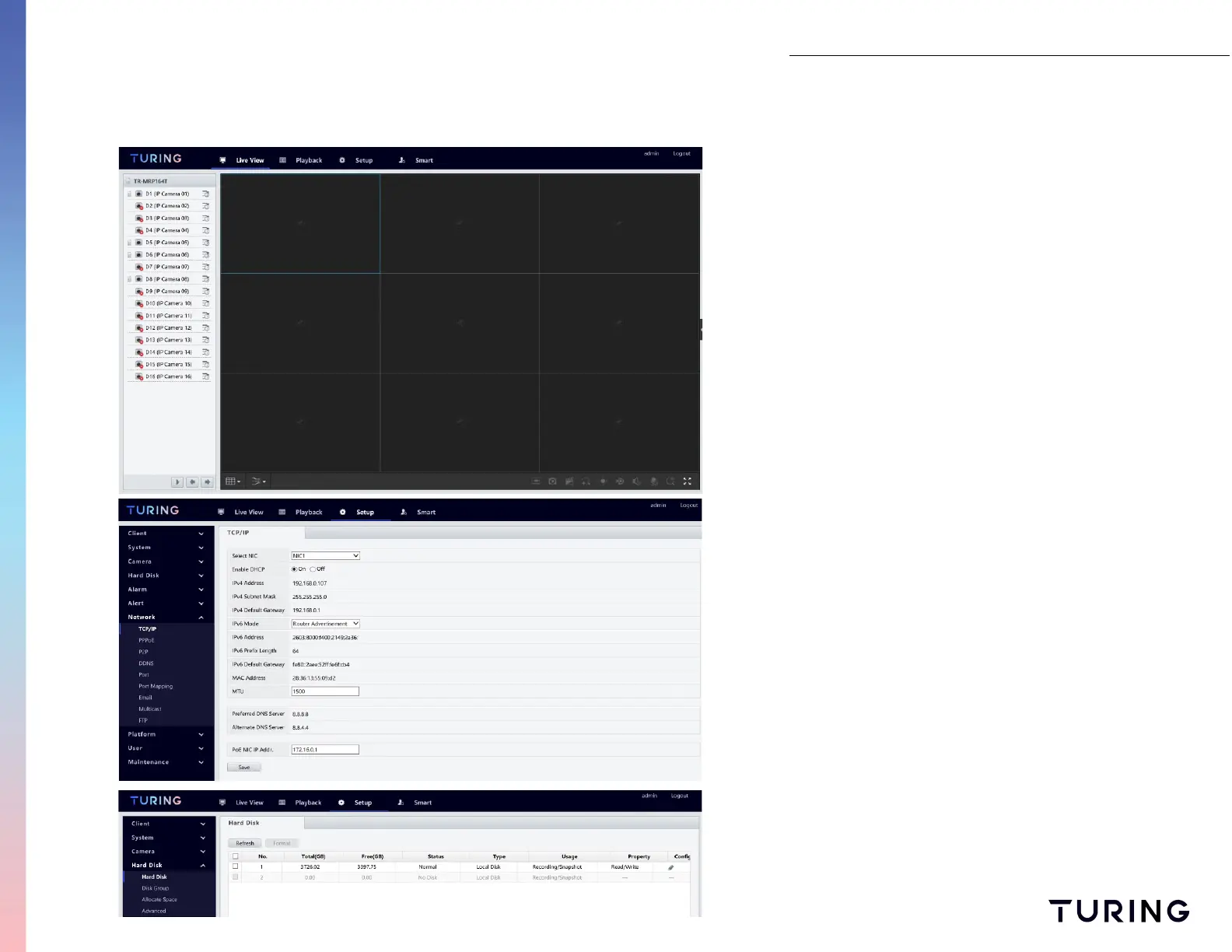
Once you have logged into the NVR you will see
the NVR's home screen (similar to the monitor
home screen). Select SETUP from the menu at the
top to examine the NVR components.
View details of the NVR components by selecting the
categories on the left side menu (please note the
NVR's IP address may be re-assigned automatically if
you are using DHCP settings).
Like the monitor, you can also check any hard disks in
the NVR and format any drives if needed.


 To Next Page