TURING Vision Quick Start Guide – Smart Series Hardware Setup
14
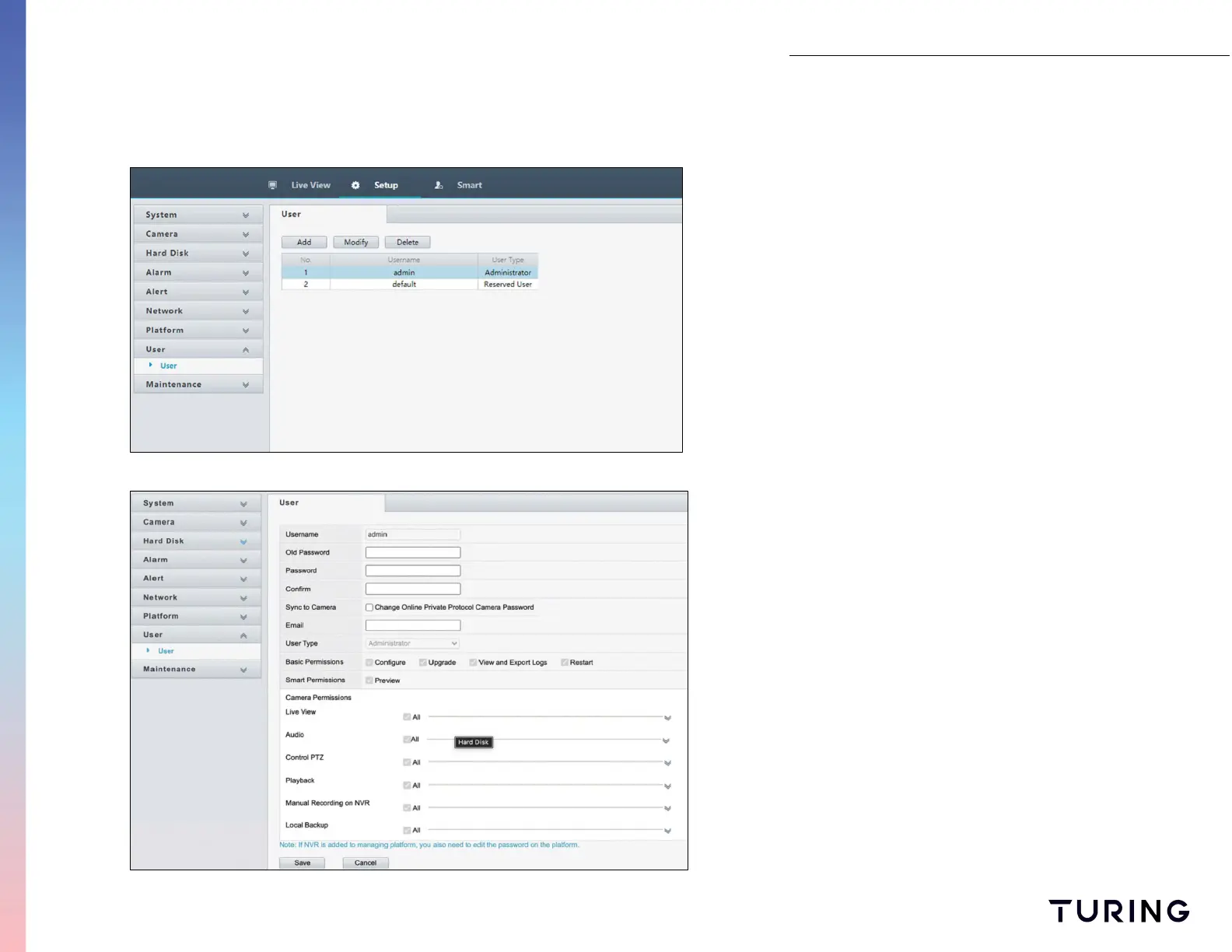
Assign Passwords Remotely
To assign users a password perform the following:
1. Change into the System on the Side Menu;
2. Select USER;
3. Choose a user to assign a password to from the list;
4. Select CHANGE PASSWORD and enter a new password
for user. (must include numbers and special characters)
NOTE:
This feature is only available to cameras with PRIVATE
protocol settings. The Sync to Camera option allows
passwords to be applied to cameras


 To Next Page