EasyManua.ls Logo

Turnigy Super Brain ESC-40A - User Manual

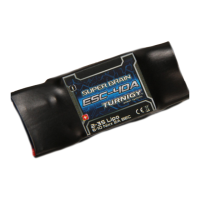
Turnigy Super Brain ESC-40A
14 pages
Print Icon
To Next Page IconTo Next Page
Loading...
Warnings
·Strongly recommend to calibrate the throttle range of transmitter when you first use the controller or when
using a new/different transmitter or receiver.
·When connecting the ESC to battery pack, please ensure the polarity is correct. Incorrect polarity may cause
permanent damage to the ESC and such damage is not covered by manufacturer’s WARRANTY.
·When you use the ESC, turn on the transmitter BEFORE powering on the receiver.
·When you finish the flying, power off the receiver BEFORE turning off the transmitter.
·The limiting current is set to the ‘standard mode’ in factory. It is suitable for use in most configurations.
Only experienced technicians can adjust this programming.
·In Governor Mode, the brake is always disabled and the soft cutoff is always active.
·Changing the PWM may cause the motor to heat ahead of time.
·Never disconnect the battery pack while the motor is running, as this could cause damage to the speed
controller and/or motor.
·Connectors with low conductivity may cause erratic motor rotations or other unexpected
movements.
·If you do not use the BEC function of the ESC and are using a separate receiver pack or UBEC to power
receiver and servos instead, please disconnect the red wire from the ESC’s receiver lead.
·The controller will automatically power off the motor if the battery voltage drops below the programmed
cut-off voltage (factory preset at 5.0V). Try using a smaller prop on the motor, or using batteries with a higher
rating. It is especially important for the user of Li-poly cells.
·Allowing water, lubricants, moisture or other foreign objects inside the ESC will VOID the WARRANTY.
Exposure to CA glue or its fumes can cause damage and malfunctions; this will also VOID the WARRANTY.
SUPER BRAIN ESC-40A Brushless Speed Controller INSTRUCTIONS
Thanks so much for purchasing Turnigy
®
Super Brain speed controllers. Please read the instruction booklet
carefully before flying to ensure to get optimal performance with least damage as possible and enjoy your flying.
Question and Answer IconNeed help?

Do you have a question about the Turnigy Super Brain ESC-40A and is the answer not in the manual?

Overview

The Turnigy Super Brain ESC-40A is a brushless speed controller designed for electric flight applications, integrating a data logger for comprehensive flight data recording. This device is part of the Turnigy 'Super Brain' series, which aims to provide users with all necessary data to optimize aircraft performance.

Function Description:

The primary function of the Turnigy Super Brain ESC-40A is to control the speed of a brushless motor in an R/C aircraft. It acts as an electronic speed controller (ESC) and, uniquely, incorporates a flight data logger. This eliminates the need for a separate logging device, as it records various flight parameters throughout the entire flight duration. The ESC is microprocessor-controlled, ensuring precise and reliable operation. It also features an intelligent Governor Mode, specifically designed for 3D helicopters, to maintain consistent RPM. The device's firmware is upgradeable via the internet, ensuring it remains current with the latest software versions.

Important Technical Specifications:

  • Current: 40A continuous (50A surge)
  • Resistance: Extremely low
  • Battery Compatibility: Up to 12 cells NiCad/NiMH or 2-3 cells Lithium-Polymer
  • PWM Switching Rate: High rate adjustable (8KHz/12KHz/16KHz)
  • BEC (Battery Eliminator Circuit): 5V, 2A (linear)
  • Cut-off Voltage (Factory Preset): 5.0V (adjustable)
  • Dimensions: 55×27×12 mm
  • Weight (with cables): 25g

Usage Features:

The ESC-40A offers a range of user-programmable features to tailor its performance to specific aircraft configurations and flying styles. These features can be programmed via a personal computer using the Turnigy USB Linker and dedicated software, a Turnigy Program Card, or directly via the transmitter's throttle stick.

Calibration:

It is strongly recommended to calibrate the throttle range of the transmitter when first using the controller or when changing transmitters/receivers. The calibration process involves connecting the ESC to the motor and receiver, setting the throttle to the highest position, powering on the receiver, and then moving the throttle to the lowest position after a series of beeps. The factory preset throttle range is 640 uS.

Programmable Settings:

  • LVC (Low Voltage Cut-off): Protects the main battery from over-discharge. Options include Auto Lipo detection or fixed voltages from 5.0V (default) to 12.0V, supporting various cell counts.
  • Current Limiting: Prevents damage from over-current. Options range from Very Sensitivity (rapid shut-down) to Insensitivity (slight delay) or Disabled. Standard mode (moderate over-current threshold) is recommended for inrunner motors.
  • Brake Type:
    • No brake (default): Mainly for helicopters.
    • Soft brake: 50% braking power, suitable for general aircraft with fixed or folding props.
    • Hard brake: 70% braking power, for direct drive applications requiring more braking power (should only be used below 12V).
  • Timing Advance: Adjusts motor timing for efficiency and power.
    • Low advance timing (0°-15°): For lower pole count motors, more power, slightly less efficient.
    • Middle advance timing (5°-20°): Recommended for most motors, good balance of power and efficiency.
    • High advance timing (15°-30°): For higher pole count motors.
    • Auto (default): Recommended for most brushless motors.
  • Cutoff Type:
    • Hard cutoff (default): Motor shuts down immediately when voltage reaches cut-off. Motor can be restarted by closing and reopening the throttle.
    • Soft cutoff: Motor power slowly reduces to zero, allowing for a gentle landing. Soft cutoff is always active in Governor Mode.
  • Start Type:
    • Soft start: Recommended for helicopters.
    • Standard start (default): Recommended for most fixed or folding prop airplanes and some helicopters.
    • Fast start: Recommended for fastest startup.
  • Governor Mode: For helicopter applications, maintaining constant RPM.
    • Auto calibrating throttle: Recommended for general aircraft.
    • Governor Low: Slower control frequency, increasing control gain.
    • Governor High: Faster control frequency, decreasing control gain.
    • In Governor Mode, brake is always disabled and soft cutoff is automatically active. Start time is typically 8-15 seconds.
  • PWM Switching Rate:
    • 8KHz (default): Recommended for most brushless motors.
    • 12KHz: Recommended for low inductance motors.
    • 16KHz: Recommended for very low inductance motors. Only experienced modelers should change this setting.

Data Logging:

The integrated data logger records flight data such as voltage, current, temperature, motor RPM, and throttle travel.

  • Recorder Configuration: Users can set the sampling rate (e.g., once/second to 30 times/second) to optimize recording time and data detail. The default sampling rate is 3 times/second, offering approximately 22.7 minutes of recording time. The longest recording time is 68 minutes at once/second.
  • Record Type: 'Not reverse' (default) stops recording when space is full. 'Reverse' allows indefinite recording by overlapping older data.
  • Data Upload and Analysis: Flight data can be uploaded to a PC via the USB Linker and displayed as curves in the software. Users can select specific ranges of curves for detailed analysis. The software also displays current, voltage, throttle, motor RPM, and temperature at any point on the curve.
  • Diary Panel: A logbook feature allows users to add notes, opinions, or feelings about their flights, saving them as a private flying diary.

Maintenance Features:

  • Firmware Upgrades: The ESC's firmware can be updated via the internet using the Turnigy USB Linker and software, ensuring the controller benefits from the latest improvements and bug fixes.
  • Default Settings: A 'Back to default' button in the software allows users to revert all parameters to factory settings.
  • Clear Logger Data: The 'Clear Logger Data' button clears all recorded flight data from the ESC, making space for new recordings. It is recommended to clear data and save useful information to the PC before each flight.

Warnings and Important Notes:

  • Incorrect battery polarity will cause permanent damage and is not covered by warranty.
  • Always turn on the transmitter BEFORE powering on the receiver, and power off the receiver BEFORE turning off the transmitter.
  • Never disconnect the battery pack while the motor is running.
  • Connectors with low conductivity can cause erratic motor movements.
  • If not using the BEC function, disconnect the red wire from the ESC's receiver lead.
  • Water, lubricants, moisture, foreign objects, CA glue, or its fumes will VOID the WARRANTY.
  • Changing the PWM rate may cause the motor to overheat.
  • The controller will automatically power off the motor if battery voltage drops below the cut-off.
  • The default current limiting setting is recommended; changing it may void the warranty if damage occurs due to over-current.
  • Do not power off the ESC abnormally while the throttle is not at zero, as this may make flight data unavailable.
  • The software always displays the latest flight data.
  • The 'Cur fly times' button records the number of flights (up to 16) and can be cleared.
  • The software's destination folders for installation are default and should not be changed.

System Requirements for PC Software:

  • Operating System: Windows 2000 or Windows XP (Windows 7/Vista also supported for drivers).
  • CD-ROM Drive: Or internet access for software download.
  • USB Port: Available for the USB Linker.
  • Hard Disk Space: 4 MB.
  • Screen Resolution: 800×600, 1024×768 (recommended), 1280×1024.

The Turnigy Super Brain ESC-40A is designed for both beginners and experts, offering a user-friendly interface for programming and data analysis.

Turnigy Super Brain ESC-40A Specifications

General IconGeneral
BrandTurnigy
ModelSuper Brain ESC-40A
CategoryController
LanguageEnglish

Related product manuals