MobiView 11
How to use the keyboard in Lesson Mode (PC, Mac or Linux) or Annotate Over Desktop Mode (PC Only)...
1
Tap Keyboard.
The keyboard opens.
2
Use the pen tip to enter characters on the MobiView keyboard.
The Type Text window and On-screen Keyboard appear on the desktop.
3
Click the pen once to the MobiView touchscreen to add text.
4
Tap Exit to close the keyboard.
Viewing Reports
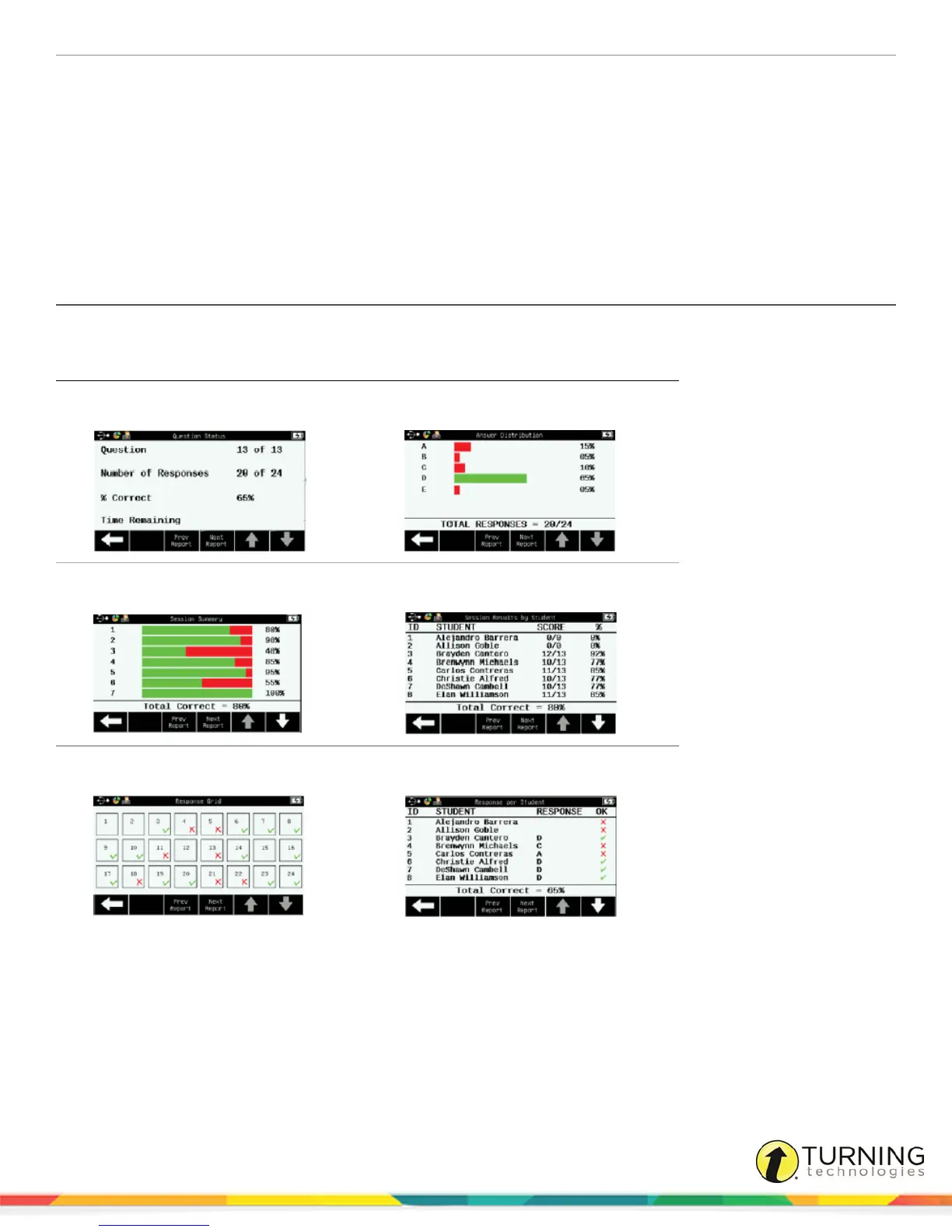
Reports can be viewed in real time when using clickers.
Available Reports
Question Statistics Answer Distribution
Session Summary
Session Results by Student
Response Grid
Response per Student
When results data is available, a report icon appears to the left of the title bar at the top of the touchscreen.
turningtechnologies.com/user-guides



 To Next Page