
 Need help?
Do you have a question about the Turtle Beach Ear Force DSS and is the answer not in the manual?
Lists the console and PC/laptop requirements for using the Ear Force DSS.
Details the items included in the Ear Force DSS package.
Advises on preventing hearing damage from high volume use.
Describes how the DSS handles various digital and analog audio inputs.
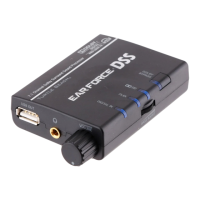
Identifies and describes the controls and indicators on the front of the DSS.
Identifies and describes the inputs and controls on the rear of the DSS.
Explains the purpose and basic functionality of the DSS audio processor.
Details connection methods for passive and amplified stereo headsets.
Explains how to connect USB composite headsets like the Ear Force P21/PX21.
Details connecting wireless headsets such as the X31 via its transmitter.
Instructions for using an HDMI connection with an XBOX 360.
Instructions for using an HDMI connection with a PlayStation 3.
Step-by-step guide for connecting the DSS to an XBOX 360.
Step-by-step guide for connecting the DSS to a PlayStation 3.
Guide for connecting the DSS to a home theater system or TV without HDMI on XBOX.
Guide for connecting the DSS to a home theater system or TV without HDMI on PS3.
Connecting the DSS to PC/Mac using a digital optical cable.
Connecting the DSS to PC/Mac using a 3.5mm analog audio cable.
Addresses common problems like no digital output, no audio, and volume issues.
Information on FCC compliance, CE marking, and warranty details.
 General
| Audio Channels | 7.1 Virtual Surround Sound |
|---|---|
| Sample Rate | 48 kHz |
| DAC Resolution | 24-bit |
| Compatibility | PC, PS3, Xbox 360 |
| Audio Technologies | Dolby Digital |
| Input | Optical, USB |
| Output | 3.5mm |
| Power Source | USB |
| Type | Digital Surround Sound Processor |

 To Next Page