
 Need help?
Do you have a question about the Turtle Beach Ear Force DSS2 and is the answer not in the manual?
Lists all the items included in the DSS2 package.
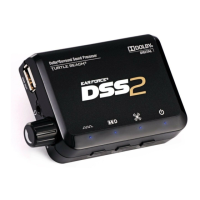
Explains the function and purpose of the DSS2 Dolby Surround Sound Processor.
Explains connecting DSS2 to amplified headsets like X12 or PX21.
Details connection for composite USB headsets like Ear Force P11.
Describes using DSS2's built-in amplifier with passive stereo headsets.
Illustrates connection of DSS2 to wireless headset transmitters like X31.
Details front panel features including USB output, headphone jack, volume control, and LEDs.
Explains rear inputs (Aux, Analog, Digital, USB) and the power switch.
Guides connecting DSS2 to Xbox 360/PS3 via optical and USB cables.
Details setting Digital Output and Voice/Game Volume on Xbox 360.
Outlines configuring Audio Output and Multi-Output settings on PS3.
Explains connecting DSS2 to home theater speakers via HDMI or RCA.
Guides connecting DSS2 to PC/Mac via optical and USB cables.
Explains using the auxiliary input for stereo pass-thru of music.
Details using the analog input for music with surround sound virtualization.
Explains how Dolby Digital processing creates 5.1 surround sound.
Describes how Dolby Digital mode works and the function of associated LEDs.
Guides users on how to adjust virtual speaker angles for optimal surround sound.
Explains how to cycle through and select different EQ presets for audio enhancement.
Addresses issues with digital optical output on Xbox 360.
Guides on ensuring correct audio settings for PS3 and BluRay players.
Helps resolve issues with sound from digital connections.
Explains issues with achieving surround sound on PC/Mac.
Details why the analog input might not be working.
Warns about potential hearing damage from high volume and provides safe listening tips.
Advises on safe handling and transporting the device to prevent damage.
Lists compliance information for EMC Directive and notified bodies.
States FCC compliance for Class B digital device and user information.
Explains the one-year limited warranty, service process, and Purchaser responsibilities.
Lists conditions under which the limited warranty does not apply.
Details FCC interference limits and user precautions for radio frequency energy.
Outlines Canadian compliance for Class B digital apparatus and RF exposure information.
 General
| Brand | Turtle Beach |
|---|---|
| Model | Ear Force DSS2 |
| Category | Recording Equipment |
| Language | English |

 To Next Page