
 Need help?
Do you have a question about the Tuttnauer TIVA8-MD and is the answer not in the manual?
Designed for cleaning and disinfecting surgical instruments.
Specialized personnel in CSSD, dental clinics, and hospitals.
For internal use up to 6562 ft altitude, 5-40 extdegree C, 80% humidity.
General safety advice for users, installers, and operators.
User's responsibilities regarding machine use and safety.
Installer's responsibilities for safe machine setup and environment.
Operator's duties before and during machine operation.
Importance of water quality for cleaning and disinfection results.
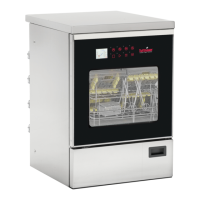
Identification of the main parts of the washer disinfector.
Details on machine size, weight, noise, protection, and CE marking.
Instructions for cleaning the filters in the wash chamber.
Instructions for cleaning and assembling the spray arms.
Procedure for refilling chemical tanks.
Guidelines for safe storage and use of chemicals.
Control operations to check machine functionality after installation.
Procedure for manually filling the hydraulic circuit with chemicals.
Manual release mechanism for the machine door.
How to properly load instruments for washing.
Guidance on selecting programs based on load and configuration.
Description of the different phases of a washing program.
Checks to perform before starting any program.
Procedure for selecting and initiating a washing program.
Indication of program completion and door unlocking.
Explanation of key lighting colors and their meaning.
Overview of the LCD display and its various indicators.
Common messages displayed during operation or after cycle completion.
Icon indicating Bluetooth connectivity status.
Details on various settings available in the menu.
Procedure to change the display language.
How to manage data transfer using a USB key.
Overview of the optional desktop software for enhanced features.
Information on the Bluetooth card for data export.
Description of the two types of USB ports available.
Use of the RS232 port for printer or data transfer.
Data transmitted via RS232 for LAN communication.
Importance of maintenance for machine functionality and longevity.
Notification for periodic maintenance requests.
Procedure for cleaning the filters in the wash chamber.
Procedure for cleaning the spray arms.
Table listing machine parameters, min/max values, and default settings.
 General
| Model | TIVA8-MD |
|---|---|
| Type | Tabletop Autoclave |
| Power Supply | 230V, 50/60 Hz |
| Sterilization Temperature | 134°C |
| Chamber Material | Stainless Steel |
| Door Type | Manual |
| Safety Features | Overheat protection |
| Sterilization Temperature Range | 121°C to 134°C |

 To Next Page