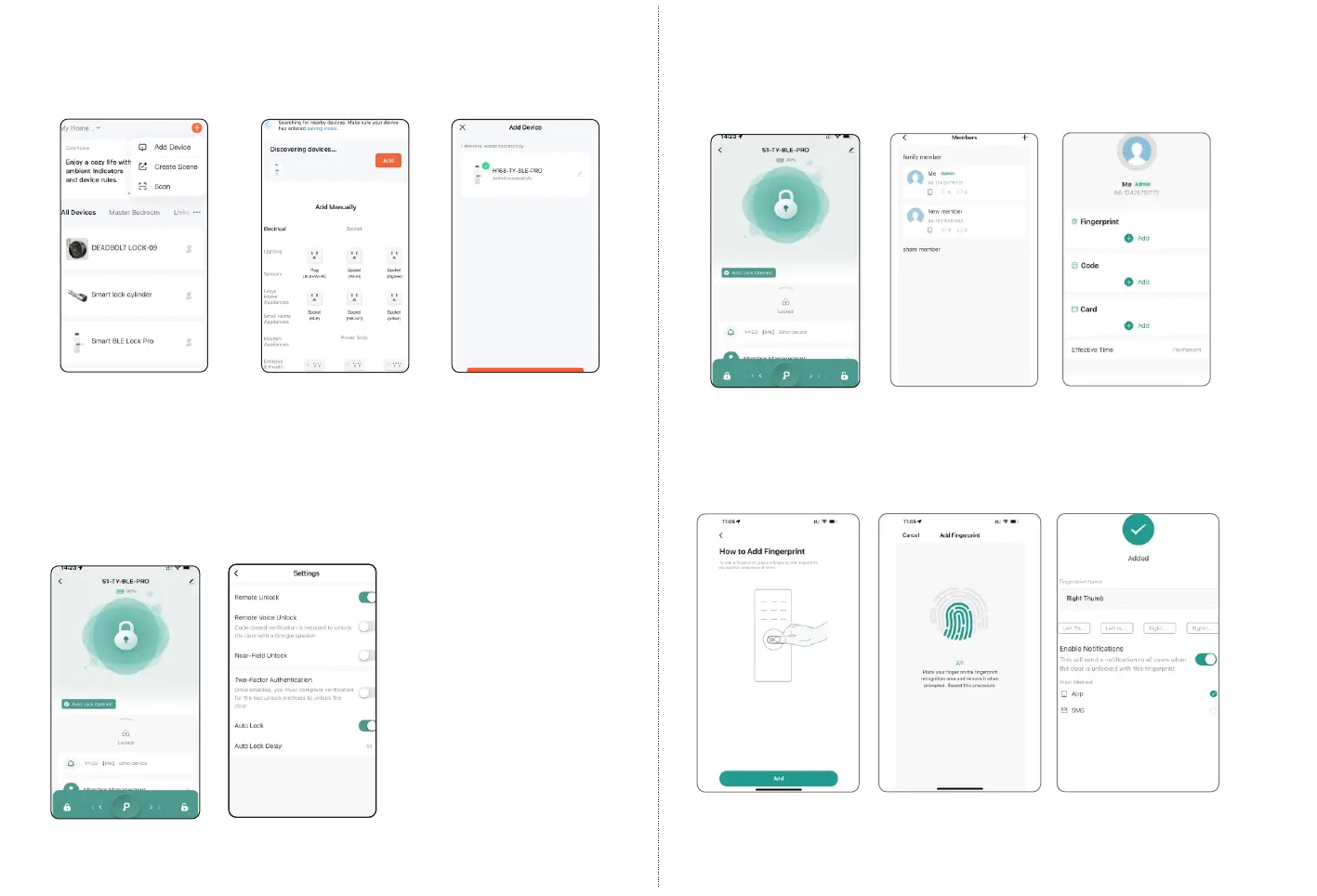
Please run the Tuya smart APP and click “Add Device” on the right
top position for auto scan:
Step 2Step 1 Step 3
Add Device
Activate the lock
Click “Add”
Done
Under Tuya smart APP interface, you can see the features for the
smart locks, such as Memeber /unlock records and settings etc.
Also you can slide the bar to unlock the door directly.
6.3 Function Description
6.2 Intelligent Configuration
19
20
6.4 Add User Fingerprint
Under Tuya smart APP interface, you can click the “Member
Management” and add the fingerprint.
Step1:
Select Member
Step2 Click Add button
under Fingerprint option
Step3:
Start Capturing
Step 4: Press finger
5 Times
Step 5:
Done and name it
Step3: Click Add under
the fingerprint option



 To Next Page