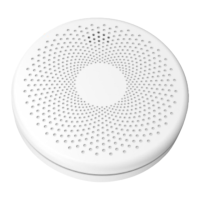
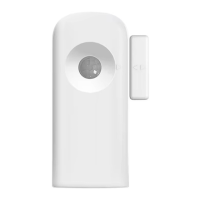
The PIR313-Z-TY is a Tuya ZigBee version multi-sensor designed to detect movement, temperature, humidity, and illuminance within your property. This device allows you to receive notifications via a mobile app when human body movement is detected, providing alert notifications and enabling linkage with other smart devices for control.
Function Description:
The multi-sensor integrates several detection capabilities into one compact unit. Its primary function is motion detection, utilizing a Passive Infrared (PIR) sensor. In addition to motion, it measures ambient temperature and humidity, and also includes an ambient luminance sensor. This comprehensive sensing allows for a more nuanced understanding of your environment and enables advanced automation scenarios. For instance, you can set up alerts for unexpected movement or link the sensor to control lighting or HVAC systems based on occupancy and environmental conditions.
Important Technical Specifications:
Wireless Connectivity:
- ZigBee: ZigBee 2.4GHz IEEE 802.15.4
- ZigBee Profile: ZigBee 3.0
- RF Characteristics:
- Operating frequency: 2.4GHz
- Range outdoor/indoor: 30m/100m
Physical Specifications:
- Battery: DC 3V (3 pcs AAA batteries)
- Indicator: Two-color LED (Green/Red)
- Temp/Humid Measurement:
- Temperature Range: -20°C ~ 125°C
- Humidity Range: 0~100% RH
- Illuminance Measurement:
- Operating Ambient:
- Temperature: -10°C ~ 55°C
- Humidity: ≤ 85% no condensing
- Detecting:
- Distance: 5m
- Angle: up/down 100°, left/right 120°
- Dimensions: 83(L) x 83(W) x 28(H) mm
- Weight: 65g
- Mounting Type: Tabletop stand or wall mounting
Usage Features:
LED Indicator Status:
- Green LED keeps flashing rapidly: Device is ready to join a ZigBee network.
- Green LED from flashing to off: Device has joined a ZigBee network or network timeout occurred.
- Red LED flashes once: Motion detected.
- Red LED flashed twice: Knock-down detected.
Connecting to the Gateway's Network:
- Install batteries: Ensure two D cell batteries are correctly inserted into the device.
- Reset the device: Press and hold the reset button for five seconds until the device blinks green briefly, then enters networking mode for one minute. The device indicator will turn off after successful networking or a timeout.
- Add device via Tuya Smart APP:
- Method 1: Click the "+" icon in the upper right corner, then navigate to "Add Device" > "Add Manually" > "Sensors" > "Motion Detector" > "Motion Detector (ZigBee)".
- Method 2: Select your gateway in the app and tap "+ Add subdevice".
- During the addition process, the green indicator will blink continuously. If the process fails, repeat the steps.
Installation:
The multi-sensor offers flexible installation options. It can be mounted on a wall like a traditional motion sensor or placed on a bookshelf or table.
- Wall Mounting: Peel off the liner from the double-sided tape and adhere the sensor to a clean, secure wall surface.
- Placement Considerations:
- Install the sensor in areas where people are most likely to enter.
- Avoid mounting near pets, air conditioners, heaters, direct sunlight, or places with significant temperature variations, as these can interfere with detection accuracy. The optimal mounting height is approximately 2.1m, with a detection range extending up to 10m.
Maintenance Features:
- Join Network: A quick press of the reset button allows you to view the device's network status. If in the network, the green light flashes three times; if not, the red light flashes three times.
- Reset to Factory Settings: Press and hold the reset button for 5 seconds. The indicator will turn green, signifying a successful reset.
The device includes an anti-tamper button located on the rear cover. When the rear cover is installed, this button is pressed, indicating a normal state. If the rear cover is removed, the anti-tamper button is released, triggering an anti-disassembly alarm.
Safety Notice:
To prevent fire, electric shock, injuries, or damage to the sensor and other property, adhere to the following safety guidelines:
- Avoid high humidity or extreme temperatures.
- Avoid long exposure to direct sunlight or strong ultraviolet light.
- Do not drop the unit or expose it to intense vibration.
- Do not disassemble or attempt to repair the unit yourself.
- Do not expose the unit or its accessories to flammable liquids, gases, or other explosives.

 Need help?
 General

 To Next Page