
 Need help?
Do you have a question about the TUYA S6 Series and is the answer not in the manual?
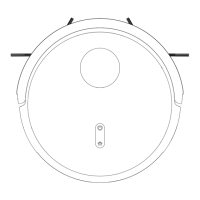
Illustrations of the robot's top and bottom views, dust bin, and water tanks.
Details on the charging dock, overall height, and the remote controller.
Guidance on correctly positioning the charging dock for optimal robot performance.
Instructions for powering the robot on/off, pausing, and initiating cleaning modes.
Steps for downloading, installing, and connecting the robot vacuum via the mobile app.
Procedures for cleaning the dust bin and replacing or cleaning filters.
Instructions for cleaning and maintaining the robot's rolling and side brushes.
Guidance on cleaning sensors, charging contacts, and the universal wheel.
Solutions for issues related to connecting the robot vacuum with the app or installing the app.
Troubleshooting steps for charging problems and the robot failing to return to the dock.
Addressing problems like disordered routes, loud noise, or reduced suction power.
 General
| Brand | TUYA |
|---|---|
| Model | S6 Series |
| Category | Vacuum Cleaner |
| Language | English |

 To Next Page