Chapter 4 Installation instructions
● Turn off the main power in the electricity box and confirm the live wire is
not alive with a test pencil.
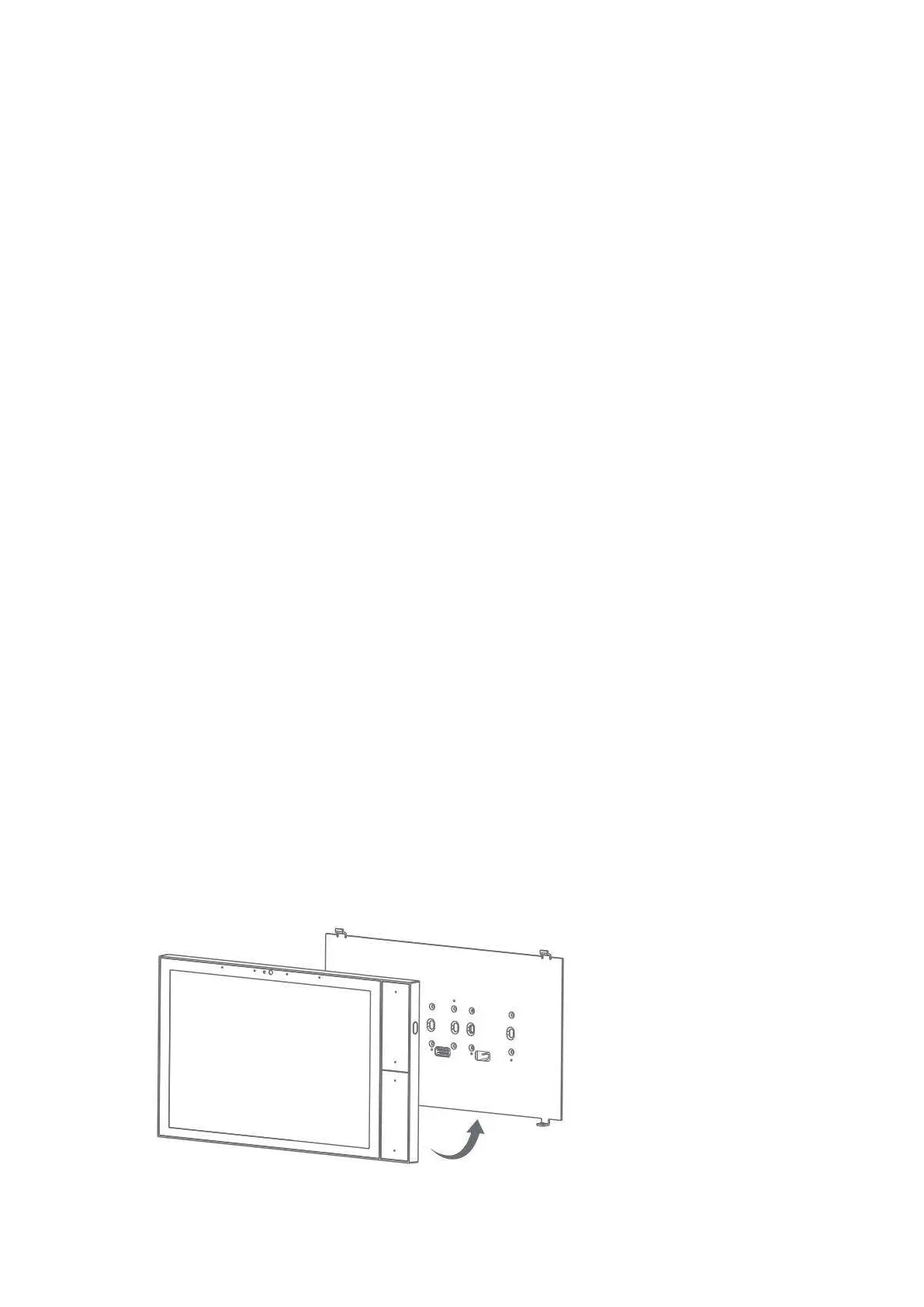
● Remove the base of the smart panel and install it in the wall box (as
shown in the pictures following).
● Check the wires and make sure the wires are in good contact with the
terminals and no exposed cooper wires.
● Fasten the base to the wall box with mounting screws and fix the smart
panel back to the base.
● Note that the screws should not be fixed too tight during installation in
case any deformation or damage to the screen and hardware.
● If your smart panel is not flat after installation, do not press the screen
violently, please check the wall box and the base installation at first.
4.1 Installation drawings


 To Next Page