Need help?
Do you have a question about the TUYA SIMBAILAI and is the answer not in the manual?
Details on the outdoor camera's components and installation preparation.
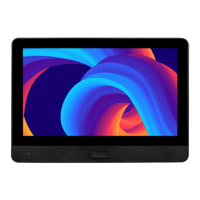
Technical specifications for the indoor monitor unit.
Technical specifications for the outdoor doorbell camera.
Guidance on optimal placement and mounting methods for the outdoor camera.
Advice on testing signal strength and placement before final installation.
Recommendations for installing at villas and iron gates, considering signal strength.
Step-by-step guide to select and confirm the desired language for the device.
Instructions on how to activate and deactivate the mute function for calls.
Information on checking battery status and the procedure for charging the outdoor unit.
Guide to download, register, and set up the TuyaSmart mobile application.
Steps to create a home and manage device sharing within the Tuya app.
Steps to connect the indoor monitor to your Wi-Fi network via the Tuya app.
Instructions for pairing the indoor monitor with the TuyaSmart app using QR code.
Steps to add the video door phone device to the Tuya app by scanning a QR code.
Important information regarding device pairing limitations and factory reset procedures.
Explanation of key app features like playback, PIR settings, and lock control.
Guide on configuring app notifications for visitor calls and motion detection.
Description of the main system menu icons and desktop layout.
How to adjust intercom volume, ringtone, and other related settings.
Steps to connect the indoor unit to a Wi-Fi network.
Explanation of doorbell signal factors and viewing options.
How to configure camera settings and motion detection sensitivity.
Adjusting monitor time, camera volume, and tone settings.
Accessing and viewing recorded video files.
How to access and view the live video stream from the outdoor unit.
Navigating video timelines and accessing recorded messages or unlock events.
Using the ANSWER function to talk with visitors via the outdoor camera.
Diagrams illustrating wiring for electric control, mortise, magnetic, and cathode locks.
Key advice for optimal performance, safety, and installation.
Solutions for issues like power, ringing, and communication problems.
Resolving problems with sound, notifications, and connectivity between units.
Ensuring app notifications are enabled across different mobile platforms.
Guidance on pairing the indoor monitor and outdoor camera if issues arise.
Detailed steps and precautions for pairing the indoor and outdoor units.
Instructions on how to reset the device to its factory default settings.
Step-by-step guide for pairing the unlock module with the indoor unit.
Overview of the doorbell device's parts and functions.
Preparation steps for installing the doorbell, including battery insertion.
 General
| Brand | TUYA |
|---|---|
| Model | SIMBAILAI |
| Category | Intercom System |
| Language | English |


 To Next Page