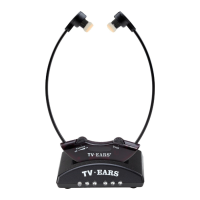
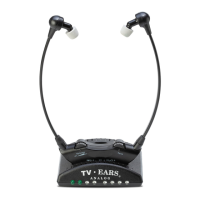
You hear static or interference
• The audio cord is plugged into an analog (RCA)
audio OUT port on the TV, cable box, or
satellite box.
• The audio cord is NOT plugged into a digital
audio out port.
• The transmitter is plugged into a working
power outlet.
• The audio cord is plugged into the audio port
of the transmitter.
• The audio cord is plugged into the ports on the
TV and transmitter completely.
• The infrared lights of the transmitter are facing
the headset and are illuminated.
• The transmitter is 3-5 feet off the ground.
• Battery may need replacement if older than 1-
2 years, depending on usage. • TV Ears has more
than one model. Be sure that the headset
model matches the transmitter model. For
example, you must use a 2.3 headset with a 2.3
transmitter.
• Cover all large windows.
The lights on front of transmitter do
not light up (infrared diodes are
difficult to see in day light).
• Cup your hand over the lights and see if 5
infrared lights are glowing red.
• AC power adapter is completely plugged into
the power outlet and 12V port on back of the
transmitter.
The charging light does not come on
when headset is in the cradle.
Note: The light will be green if the headset
is in the front charging cradle and red if the
headset is in the back charging cradle.
• Remove and replace headset to realign in the
charging cradle.
• Use your fingertips to gently rock the headset
right to left, making sure the headset is sitting
properly in the charging cradle.
• AC power adapter is completely plugged into
the power outlet and 12V port on back of the
transmitter.
The TV volume does not work
independently from TV Ears volume.
• The audio cord is in the fixed audio out port
and television is set on fixed audio television
settings.
See Question 3 of FAQs.
You hear a television station when
you watch a DVD or video.
• Turn the cable or satellite box off when you
watch a DVD or video. See Question 4 of FAQs.
Note: This is only if audio cord is plugged into
audio out port of a cable or satellite and DVD or
VCR player.
You have a Blu-Ray player.
• Hook your Blu-Ray player up the same way you
would a DVD or VCR.
See Step 1 of Installation Instructions.
You have a Digital Converter Box or
similar.
• Hook your Digital Converter Box or similar up
the same way you would a cable or satellite
box.
See Step 1 of Installation Instructions.


 To Next Page