EasyManua.ls Logo

TV One Voyager - User Manual

TV One Voyager
16 pages
Print Icon
To Next Page IconTo Next Page
Loading...
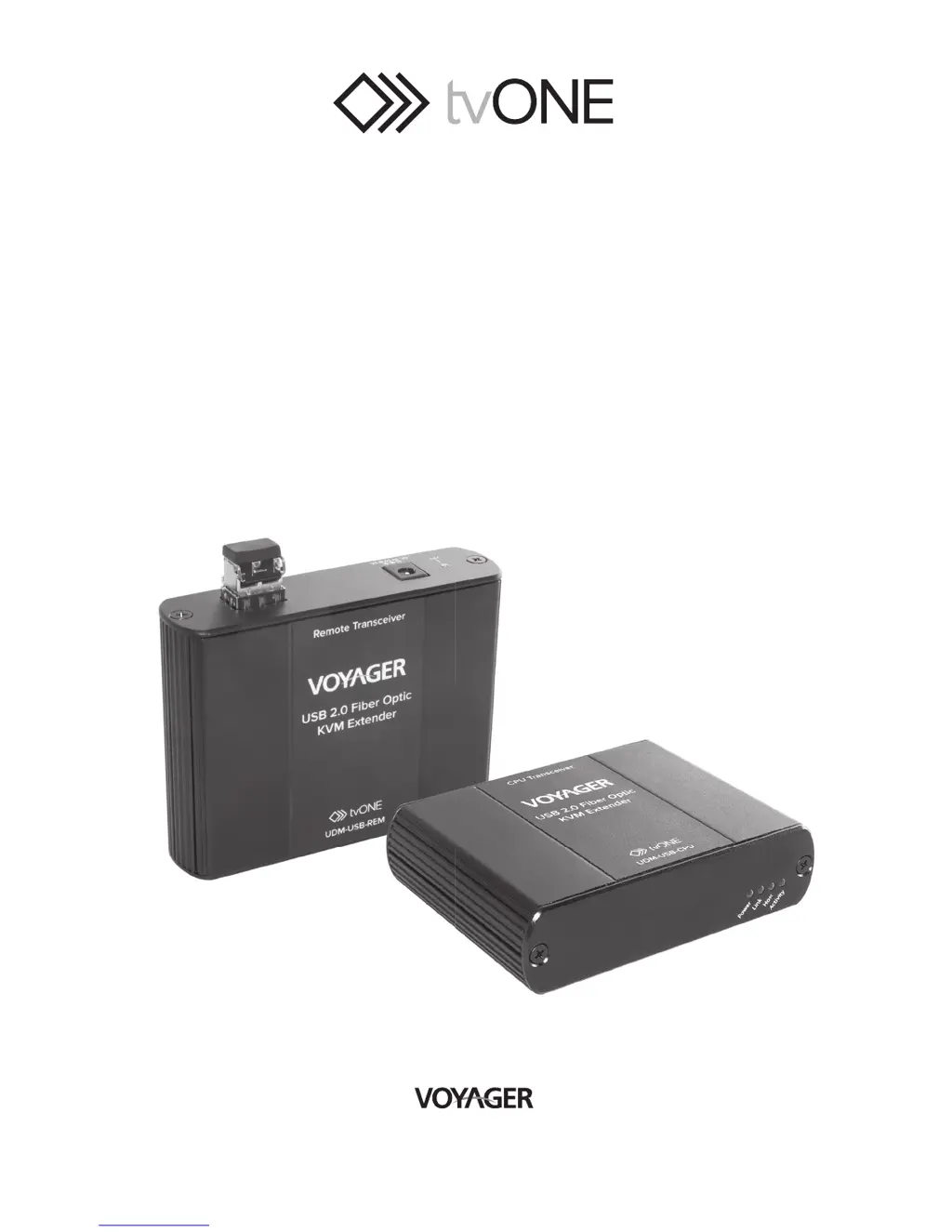
USB 2.0 Fiber Optic
KVM Extender System
User Guide
USB

Questions and Answers

  • J
    Jennifer RodriguezAug 18, 2025
    What does it mean if the Host LED on TV One Voyager Extender is blinking?
    • J
      James StuartAug 18, 2025
      If the Host LED on the CPU/REMOTE Transceivers is suddenly blinking, it could mean the REMOTE Transceiver is in suspend mode. This can occur when the operating system puts the Voyager USB in suspend mode, such as when the computer enters a Suspend/Standby state or when no USB devices are attached. To resolve this: 1. Recover/Resume the operating system from Suspend/Standby mode (see your operating system’s documentation). 2. Attach a USB device to the Voyager USB.
  • Y
    Yvonne CastilloAug 21, 2025
    What to do if device LED is orange and CPU/REMOTE Transceivers are no longer functioning on TV One Voyager Extender?
    • B
      bethlawrenceAug 21, 2025
      If the Device LED is orange and the CPU/REMOTE Transceivers are no longer functioning, it indicates an overcurrent condition. This happens because the USB device is drawing more power than the USB specification allows (500mA). To resolve this, power cycle the REMOTE Transceiver.
  • A
    Amy AndersonAug 25, 2025
    Why aren't the Link LEDs on my TV One Voyager Extender turning on?
    • T
      Tyler BaileyAug 25, 2025
      If the Link LEDs on both the CPU and REMOTE Transceivers are off, it suggests there is no connection between them. To address this: 1. Ensure that a multimode fiber optic cable with crossover is connected between the CPU Transceiver and the REMOTE Transceiver. 2. Connect a fiber optic crossover patch cord between the CPU Transceiver and the REMOTE Transceiver. Recheck operation of the system.
  • S
    Seth PerezAug 28, 2025
    What to do if USB device isn't recognized on TV One Extender?
    • K
      Kari DoyleAug 28, 2025
      If a USB device is attached to the REMOTE Transceiver USB port, but the REMOTE Transceiver device LED is off, the USB device may require a driver to be installed on the computer operating system. To fix this: 1. Install the required USB device driver on the computer operating system before attaching the USB device to the REMOTE Transceiver. Please see your USB device manufacturer’s website for details. 2. Consult your USB device documentation and power your USB device with the additional, USB device manufacturer supplied, power supply (if available).
  • B
    brandon35Aug 31, 2025
    How to troubleshoot TV One Voyager when CPU and REMOTE Transceivers LEDs blink?
    • J
      Jason ScottAug 31, 2025
      If the Host and Link LEDs on both the CPU and REMOTE Transceivers blink intermittently, it indicates a firmware mismatch between the CPU and REMOTE Transceiver. To resolve this: 1. Use a different CPU/REMOTE Transceiver pair which have the same firmware revision. 2. Upgrade the CPU and REMOTE Transceiver firmware, contact technical support for assistance.
  • J
    Jasmine KellySep 3, 2025
    What to do if all CPU Transceiver LEDs are off on TV One Voyager?
    • B
      Barry PierceSep 4, 2025
      If all LEDs on the CPU Transceiver are off, it means the CPU Transceiver isn't getting power from either the USB port or the optional AC adapter. Try these steps: 1. Ensure that the USB connection between the CPU Transceiver and the host computer is properly installed. 2. Move the USB connector to another USB port on the host computer.
  • D
    daniel77Sep 12, 2025
    What to do if all REMOTE Transceiver LEDs are off on TV One Voyager?
    • L
      Lori ButlerSep 12, 2025
      If all LEDs on the REMOTE Transceiver are off, it indicates the REMOTE Transceiver isn't receiving power from the AC adapter. Here’s what to check: 1. Ensure that the AC power adapter is properly connected to the REMOTE Transceiver. 2. Check that the AC adapter is connected to a live source of electrical power. Check that the REMOTE Transceiver power LED is illuminated.
  • D
    Daniel DavisNov 13, 2025
    What to do if all LEDs are on but my USB device doesn't work correctly with TV One Extender?
    • A
      adamsamyNov 13, 2025
      If all LEDs on both the CPU and REMOTE Transceivers are illuminated, but the USB device isn't operating correctly, or is detected as an “Unknown Device” by the operating system, consider these steps: 1. Disconnect the Voyager USB from the computer. 2. Connect the USB device directly to the USB port on the computer. 3. If the device does not operate properly, consult the user documentation for the device. 4. Update your system BIOS, chipset, or USB Host controller drivers from your System/ Mother board manufacturer’s website. 5. If the device operates properly when directly connected to the computer, connect another device (of a different type) to the Voyager USB. Then connect the Voyager USB to the computer. 6. If the second device does not operate, the extender system may be malfun...

Summary

Regulatory Agency Acceptance

FCC Radio Frequency Interference Statement Warning

CE Statement

IC Statement

Introduction

Voyager USB 2.0 Fiber Optic KVM Extender Product Contents

Lists the items included in the Voyager USB Kit packaging.

Requirements

Details the necessary items not included with the product for installation.

About the Voyager USB 2.0 Fiber Optic KVM Extender

Explains the system's capabilities and features, like transparent USB extension.

CPU Transceiver Description

REMOTE Transceiver Description

Installation Guide

Installing the Voyager USB System

Steps for site preparation before installing the Voyager USB system.

Installing the CPU Transceiver

Instructions for placing and connecting the CPU Transceiver to the computer.

Installing the REMOTE Transceiver

Instructions for placing and powering the REMOTE Transceiver near USB devices.

Connecting the CPU Transceiver to the REMOTE Transceiver

With Surface Cabling

Describes how to connect the transceivers using surface fiber optic cabling.

With Premise Cabling

Details connecting transceivers using premise fiber optic cabling and patch cords.

Checking the Installation

Connecting a USB Device

Compatibility

Troubleshooting

Specifications

Contacting Technical Support

Technical Glossary

USB Cables

Explains the different types of USB connectors and their uses.

Duplex LC Crossover

Defines a duplex LC crossover fiber optic cable and its signal transmission.

TV One Voyager Specifications

General IconGeneral
BrandTV One
ModelVoyager
CategoryExtender
LanguageEnglish

Related product manuals