33
33
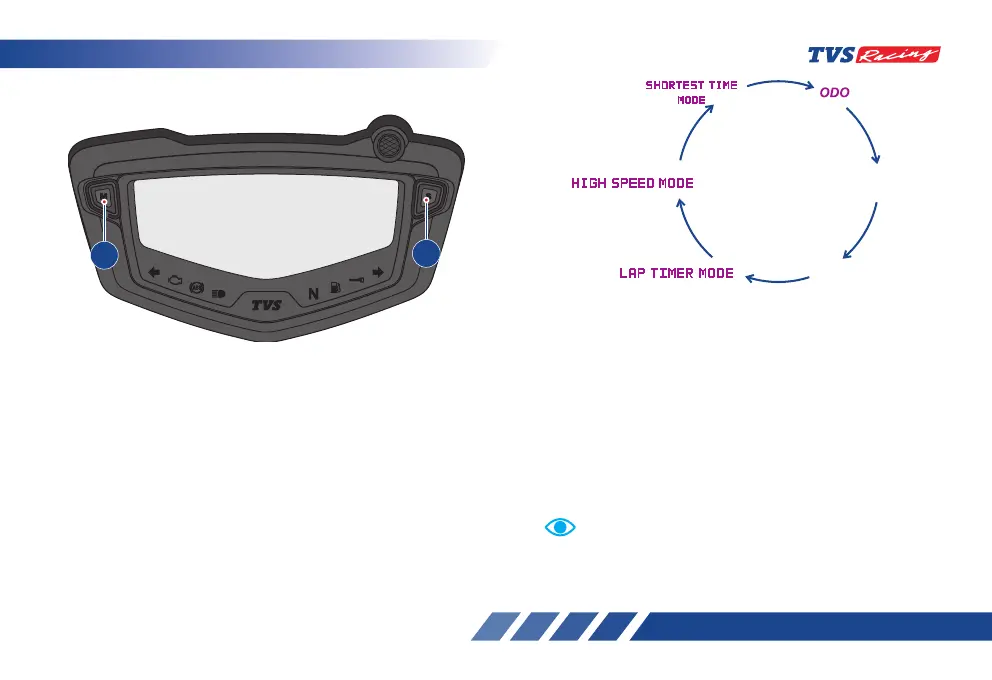
Short press the Mode button to access the following
modes:
1. ODO
2. TRIP A
3. TRIP B
4. LAP TIMER
5. HIGH SPEED INDICATOR
6. SHORTEST TIME INDICATOR
Press
MODE
Button
Press
MODE
Button
Press
MODE
Button
Press
MODE
Button
Press
MODE
Button
TRIP
TRIP B
Above mode changes are possible only when the vehicle
is in static condition for safety.
Note
MODE AND SET BUTTONS
The Mode (A) and Set (B) buttons are provided to
change between various modes and to set the some
of the digital display functions of the instrument
cluster. The sequence of modes and their selections
are explained in detail below.
A
B













 To Next Page