38
First time Bluetooth paring:
To pair your Android smart phone or iPhone with your
TVS Apache RTR 200 4V motorcycle’s connected
instrument cluster, via Bluetooth, for the first time,
follow the procedure as described below:
1. Ensure the display of the instrument cluster is in
‘ODO’ mode.
2. Press and hold the Mode button for few seconds
till the display enters ‘SET mph MODE’ or ‘SET
km/h MODE’ (based on preferred setting).
3. Release and press the Mode button two times so
that the display enters ‘ ‘.
4. Now, press the Set button to establish the
connection with your smart phone.
5. On pressing the Set button the connected
instrument cluster checks for the near by available
smart phone and displays following message:
Now, just press the ‘Connect icon’ of the mobile app
to establish the connection with the cluster.
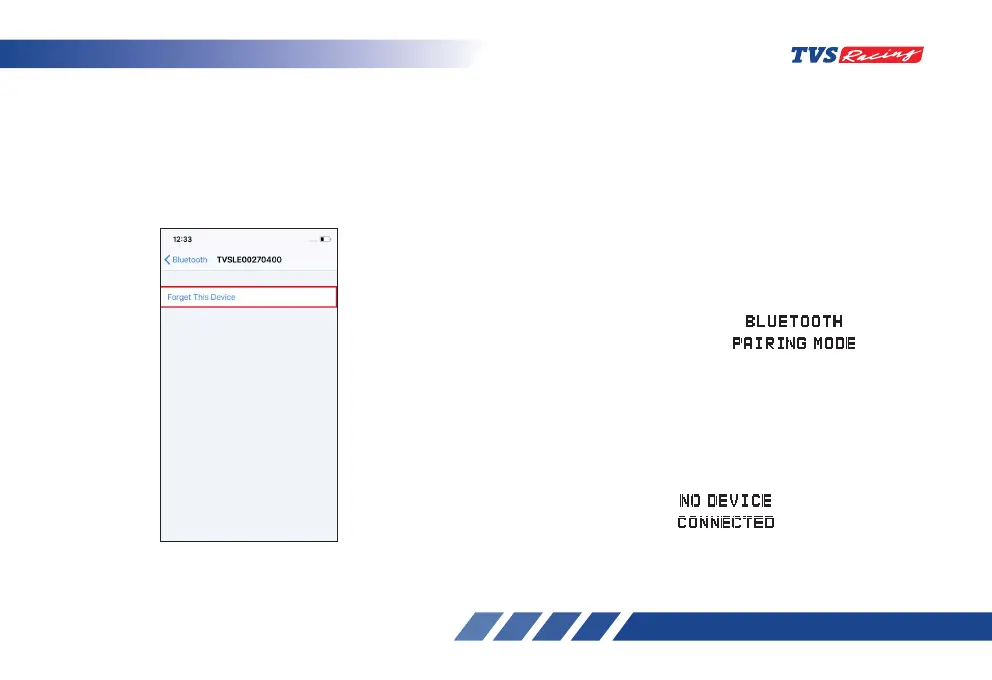
1. In the previous connected iPhone, open the
SETTINGS -> BLUETOOTH.
2. Select the instrument cluster, which was
connected previously.
3. Click on the “Forget this device”.













 To Next Page