40
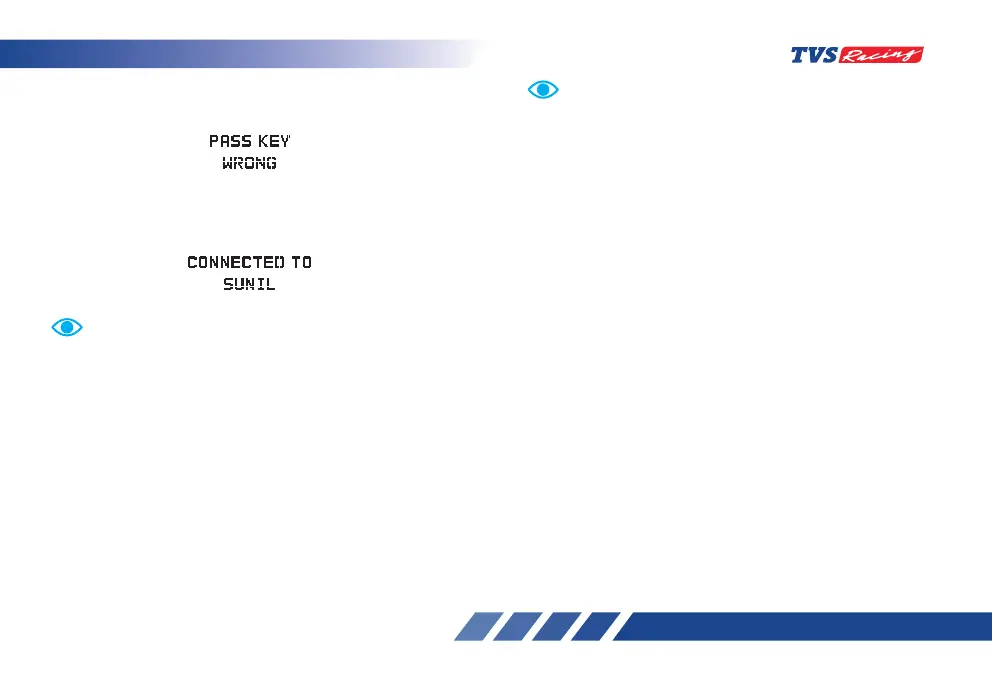
If the pass key entered wrongly then the instrument
cluster displays the following message.
On connecting with the smart phone successfully,
the instrument cluster displays the user name which
is fetched from the smart phone as shown.
Auto-pairing happens only if the application is locked
in the RAM in multitasking screen of the phone with
manufacturer’s customised OS (Ex. : MI, Vivo etc.).
In case of Android phones with Android OS version
above 8.0 for App to work seamlessly, any battery
optimisation setting to be removed in the TVS Connect
app and GPS shall be allowed to run in backround in high
accuracy mode.
Even if your phone’s Bluetooth is already paired to other
gadgets like smart watch, health band or helmet, the
auto-pairing works with your TVS Apache RTR 200 4V
motorcycle’s connected instrument cluster.
Customer window
This is the default window when the connected
instrument cluster of your ‘TVS Apache RTR 200 4V’
is connected with your smart phone using Bluetooth
‘ ‘.
Once the cluster is connected with the smart phone
the cluster displays the signal strength of the network
provider ‘ ‘ and the battery level ‘ ‘ of the smart
phone. Number of unread messages ‘ ‘ and
number of missed calls ‘ ‘.
In Android and IOS smart phones, if the Bluetooth is
‘ON’, and if the app is already paired with the cluster,
when the user opens the app with the ignition turned
‘ON’, the app connects automatically with the cluster
once the user takes his phone to near by the vehicle. (if
the auto connect setting of your smart phone is turned
‘ON’). This feature can be disabled if required. Auto
connect will only work with the last paired mobile phone.
If the application unfortunately stops due to unfrossen
circumstances. Close and reopen the application and do
the manual pairing for the first time, then auto-pairing
will happen subsequently.
For first time pairing, logout from the app, login again
with your login credential and press ‘Connect’ icon.













 To Next Page