032
In FM Mode:
To tune to next channel press button ‘ ‘ once. To tune to
previous channel press button ‘ ‘ once.
Play / Pause:
It is a toggle mode switch. To pause song press button ‘ ‘
once. To resume press button ‘ ‘ once again.
This function will not work in FM mode.
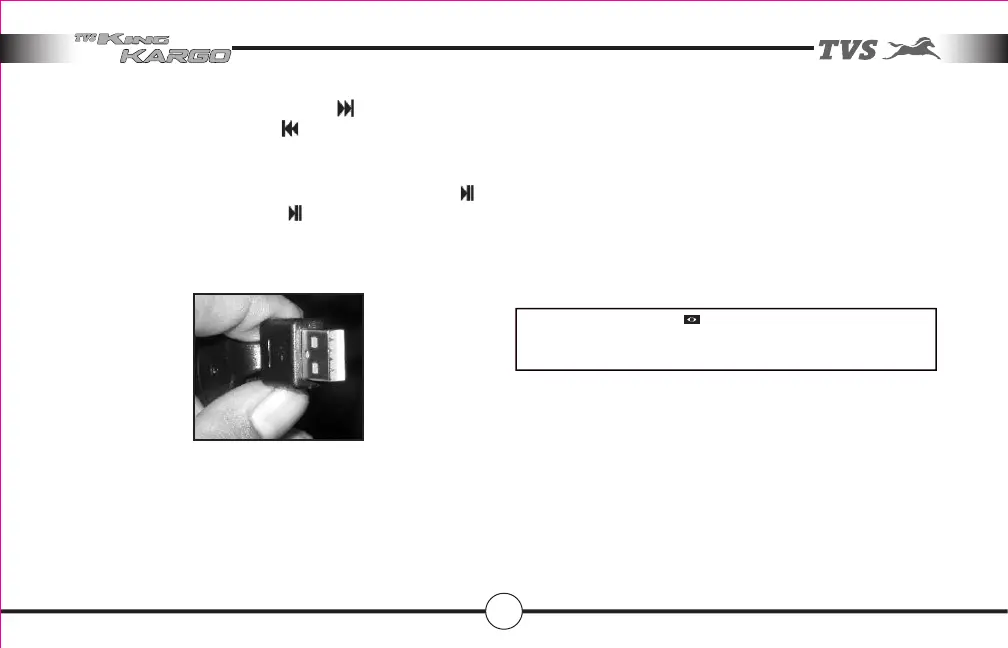
Wrong forcible insertion may result in damaging the
socket or drive or both.
This system has 70 mm length USB adopter cable which is
part of factory fitment.
Any mobile with Flash disc emulation mode with suitable
songs stored in it can be played back using suitable
connecting cable.
Features in your vehicle
USB DRIVE :
USB socket provided in the system which can directly
interface with commonly available Flash drives.
Ensure the polarity of Flash drive while assembling by
confirming the plastic base always at the bottom side.
NOTE
We recommend you to switch OFF music system while starting
the vehicle using electric starter.



 To Next Page