42
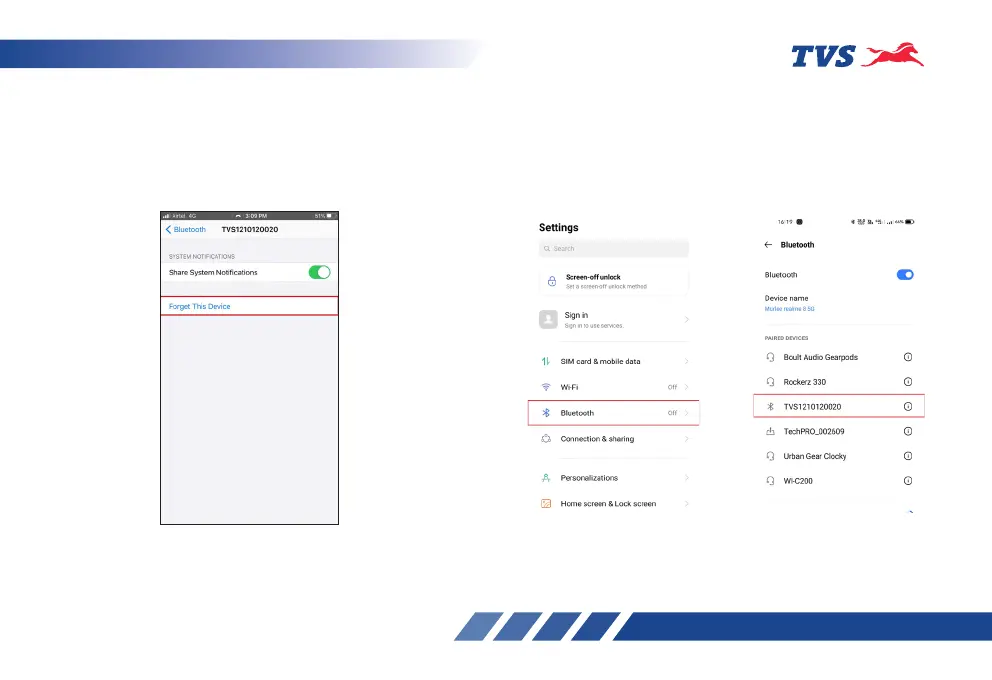
1. In the previous connected iPhone, open the
SETTINGS -> BLUETOOTH.
2. Select the instrument cluster, which was
connected previously.
3. Click on the ‘Forget this device’.
Steps to ‘unpair’ in android Phone:
If the user needs to connect multiple android Phones
with the single instrument cluster, the previous
android Phone has to be forgotten using ‘unpair’ from
Bluetooth settings in the following manner:














 To Next Page