
 Need help?
Do you have a question about the Twitoplast OPAL RC-11 and is the answer not in the manual?
Provides an overview of the initial steps and considerations before installing the remote control system.
Details the installation process for the remote control, receiver, and connecting to the power supply.
Outlines the procedures for verifying the correct operation and connections of the installed system.
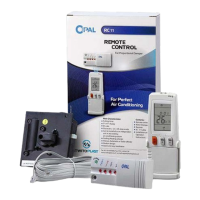
Lists the key features and specifications of the OPAL RC system components.
Explains how to use the remote control, including button functions and system operations.
Details the necessary auxiliary components required for the system setup.
Describes the C315 power supply unit, its types, and included supply.
Information on the standard length cables with quick-connecting connectors.
Presents various ways to configure the system with multiple remote controls and dampers.
Guide on mounting the receiver and the remote control holder.
Specific instructions for installing the holder for the remote control unit.
Instructions for installing the receiver unit, emphasizing it should not be opened.
Details on how to connect the system components to the power supply box.
Guidance on selecting an appropriate location for the power supply box.
Provides connection details, including diagrams for different channel configurations.
Verification steps for all system connections to ensure proper setup.
Checks for successful communication signal between the remote and receiver units.
Lists the features and specifications of the remote control unit.
Details the specifications and features of the C315 power supply box.
Instructions for replacing batteries and setting the real-time clock on the remote.
Identifies and explains the functions of each button and display element on the remote.
Guide on how to select between cooling and heating modes for the damper unit.
Explains the different operational modes for the damper, including manual and auto.
How to view and set the desired room temperature using the remote control.
Instructions for activating the sleep mode for comfortable sleeping conditions.
Function of the reset button to restore default settings on the remote control.
Procedure for setting a specific time to start the damper operation.
Procedure for setting a specific time to stop the damper operation.
Guide to assigning an ID code for distinguishing multiple remote controls.
Explanation of the LEDs and buttons on the IR receiver unit.
 General
| Brand | Twitoplast |
|---|---|
| Model | OPAL RC-11 |
| Category | Remote Control |
| Language | English |

 To Next Page