Last
update:
2020/06/26
10:48
torpedo_cab_mplus:torpedo_c.a.b._mplus_user_s_manual https://wiki.two-notes.com/doku.php?id=torpedo_cab_mplus:torpedo_c.a.b._mplus_user_s_manual
https://wiki.two-notes.com/ Printed on 2020/06/26 14:07
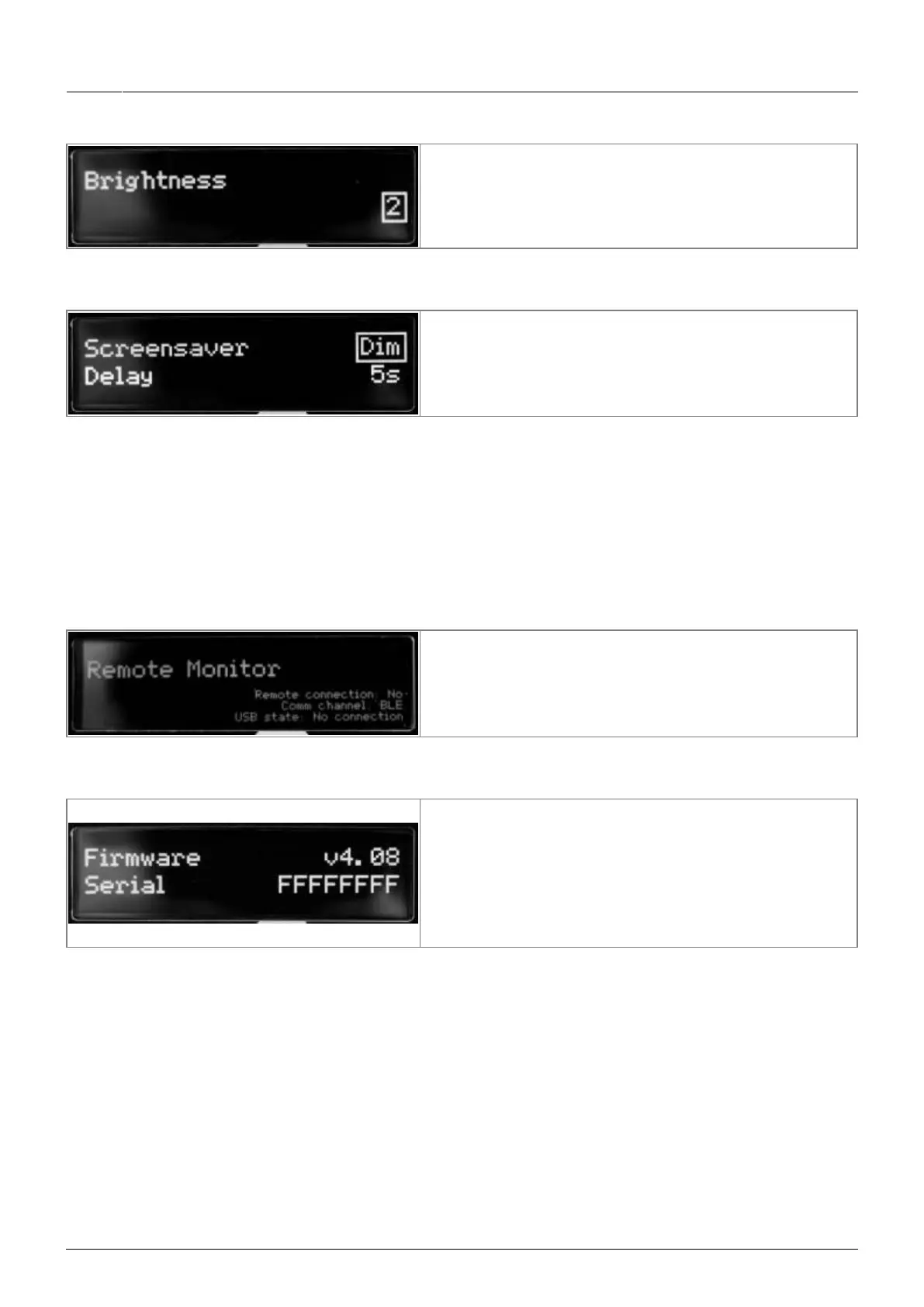
4.3.6.7 Brightness
This setting determines the brightness level of the
display screen.
4.3.6.8 Screensaver
You can choose between an animation, a dim of the
display, or the screen going into sleep mode (turns off)
after a delay period you set from 1 to 60 seconds.
The OLED technology used in the screen of the Torpedo C.A.B. M+ allows for better display with
higher resolution graphics. This technology is however known to be sensitive to a burn-in
phenomenon when continuously displaying the same graphics. To avoid this issue, we implemented a
set of screensaver options. We recommend you use them to increase the lifespan of the display
screen.
4.3.6.9 Remote monitor
This menu indicates whether you are connected to the
Remote or not and if you are connected to the Torpedo
C.A.B. M+ by USB or by Bluetooth (BLE). This can be
used to troubleshoot communication issues with the
Remote and Wireless Remote software.
4.3.6.10 Firmware/Serial
Here you can see which firmware is installed in the
Torpedo C.A.B. M+. You also have access to the serial
number of the machine (which is also available on a
sticker under the unit). This serial number is used to
register the unit, as well as differentiate between
several units in the Remote and Wireless Remote
software.
4.3.7 Which cabinet is the right one for me?
The Torpedo C.A.B. M+ comes with 32 cabinets, for bass and guitar. Among these cabinets you will
find some that you know, others that you should know, and maybe the hidden gem that will work for
you and you had no idea. To work faster, you should make sure the EQ, reverb and anything apart
from the cabinet and microphones are turned off so you can concentrate on that part of the process.
Please try the cabinets without too much-preconceived idea about what you think you need. Often,
the solution comes from a cabinet you wouldn't think of. As a general guide, we recommend using
small-sized cabinets for more mids and high frequency, they are good for solos and clean tones. Use
the big boys on distorted and/or rhythm guitars.


 To Next Page