Last
update:
2020/06/26
10:48
torpedo_cab_mplus:torpedo_c.a.b._mplus_user_s_manual https://wiki.two-notes.com/doku.php?id=torpedo_cab_mplus:torpedo_c.a.b._mplus_user_s_manual
https://wiki.two-notes.com/ Printed on 2020/06/26 14:07
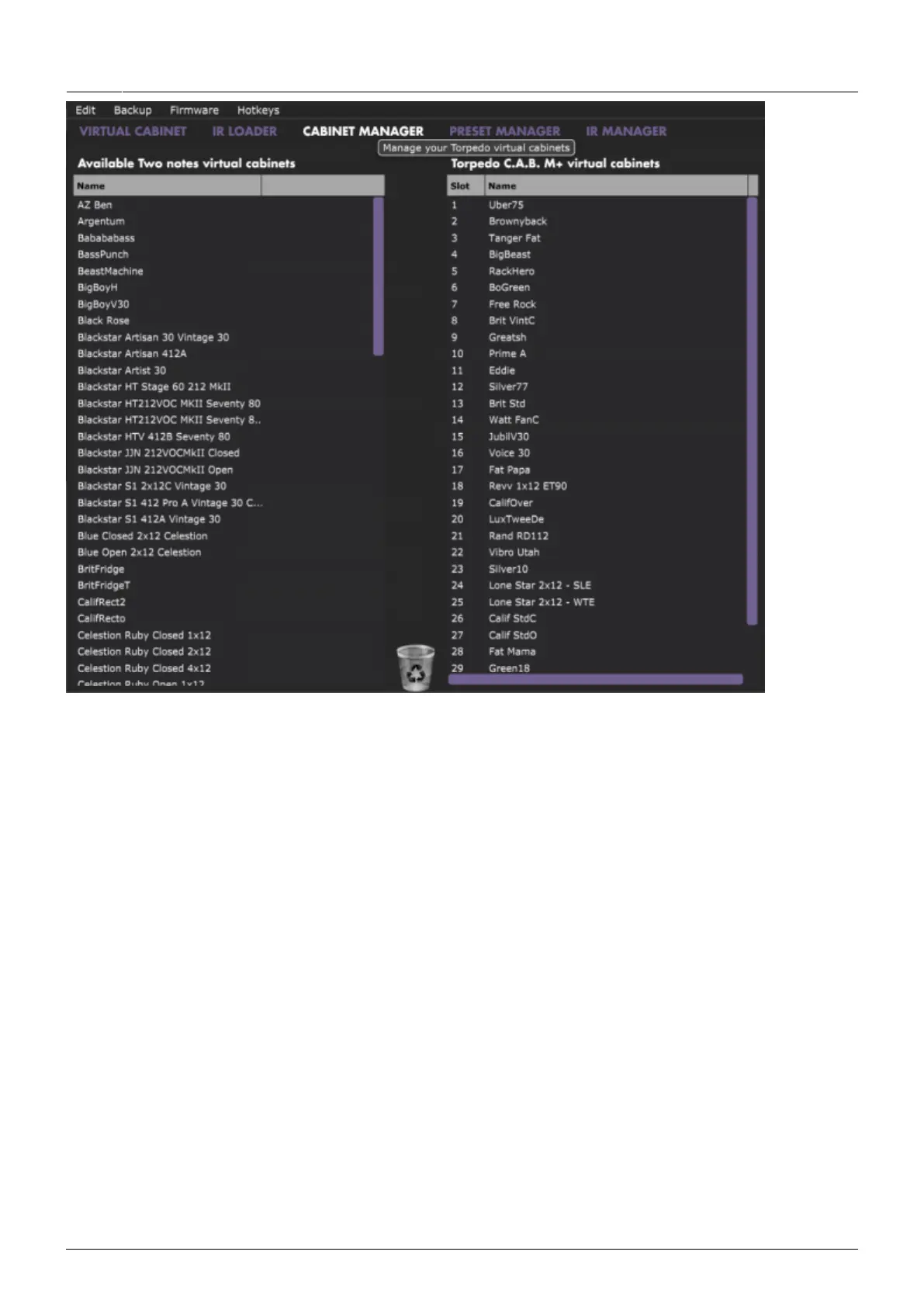
The Torpedo C.A.B. M+ comes with its internal memory for Virtual Cabinets at full capacity with 32
cabinets already loaded. To import a cabinet that is stored in your computer to the unit, you need to
free space by dragging and dropping one or more cabinet from the right panel to the bin. (Note: The
cabinet is only removed from the Torpedo C.A.B. M+. You still have it in your license, and can
reimport it at any time with Torpedo Remote). Drag and drop any cabinets from the left panel (your
computer) to the right panel for the import in the Torpedo C.A.B. M+.
4.4.2 Saving and loading presets
Use the PRESET MANAGER tab to manage the presets in Torpedo C.A.B. M+. The Left panel indicates
the preset folders on your computer. The right panel shows the presets stored in the unit.


 To Next Page