2020/06/26 14:07 29/35 Torpedo C.A.B. M+ User's Manual
User's manuals - https://wiki.two-notes.com/
When you are previewing a cabinet that you do not own, random silences are inserted and you only
have access to one mic to preview the cabinets.
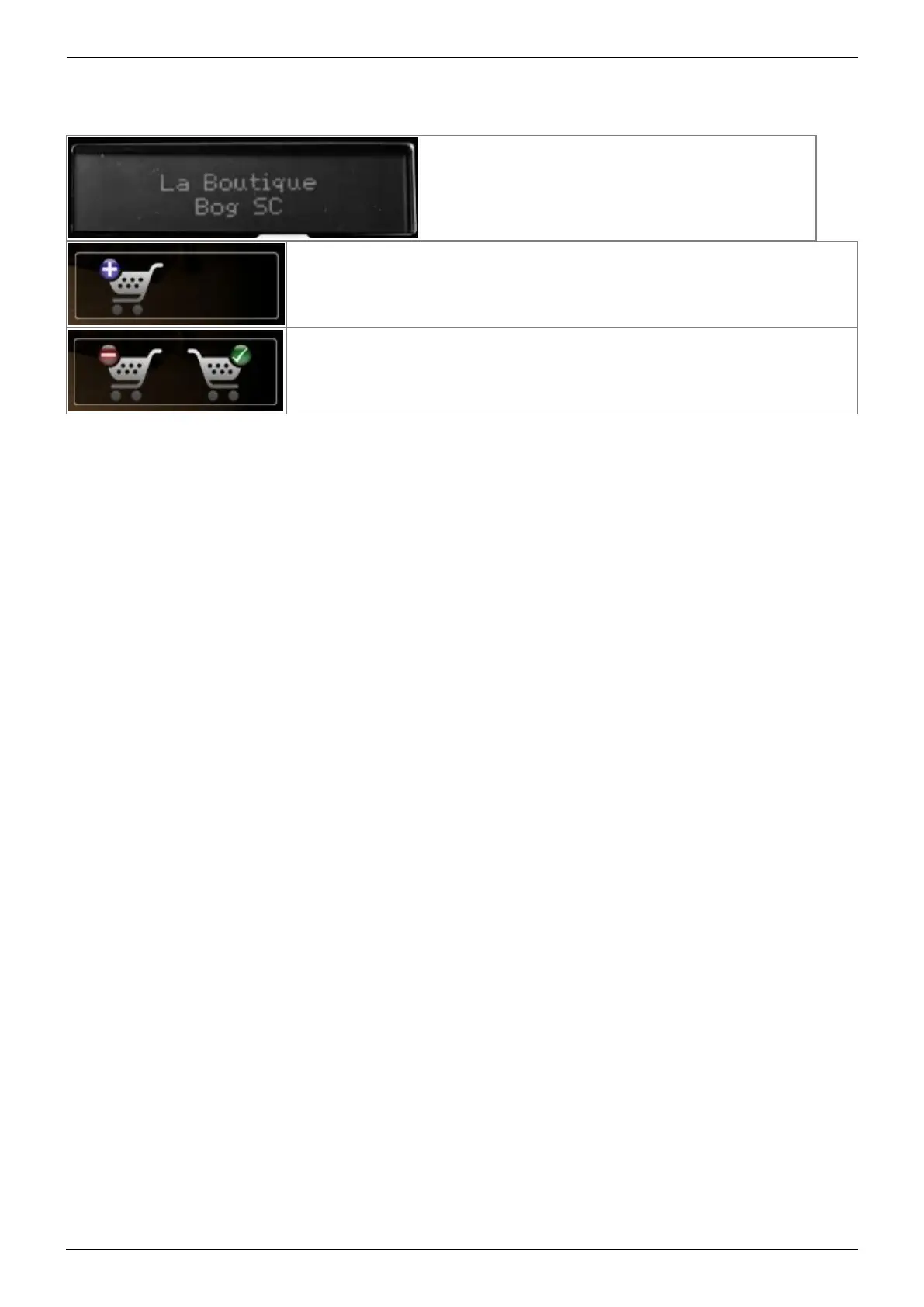
The pedal will show « La Boutique » on the screen.
You can add the previewed cabinet in the Store Cart by clicking on the
trolley with the plus sign. This operation can be repeated for any
cabinets.
When you want to finalize the cart and buy the cabinets you have
selected, click on the trolley with the green tick and you will be taken to
the online Two notes Store. The trolley with the minus sign allows you to
remove the current cabinet from the cart.
No billing or information on the payment method is stored on the Remote, so as to ensure maximum
security.
4.5.2 .tur files
.tur are proprietary files created with the Two notes Audio Engineering Torpedo BlendIR software. The
software is available for download from the Two notes Audio Engineering website. With Torpedo
BlendIR you are able to use the Torpedo technology to capture the sound signature of your own
cabinet and microphone in the deepest details.
To load a file into the Torpedo, place it in the default Impulse directory, or select the directory
containing the files through Torpedo Remote (this can be done in the menu). You can then load the
files into the Torpedo through the Memory Manager or directly listen to them through the main
Remote window.
Please note that with .tur files you do not have access to the microphone positioning parameter.
4.5.3 3rd-party IR files (in .wav or .aiff format)
Torpedo C.A.B. M+ complies with third-party Impulse Responses (IRs) in .wav or .aiff format, 16 or
24bits, 44.1Khz to 96Khz.
4.5.3.1 With Torpedo Remote
To import or remove 3rd-party IRs in the Torpedo C.A.B. M+, you need to register your pedal via
Torpedo Remote to your Two notes account. You cannot import or remove 3rd-party IRs when using
Torpedo Remote in Guest mode.
To load a file into the Torpedo C.A.B. M+ internal memory, use the IR Manager window.


 To Next Page