2020/09/07 17:45 9/36 Torpedo Captor X User's Manual
User's manuals - https://wiki.two-notes.com/
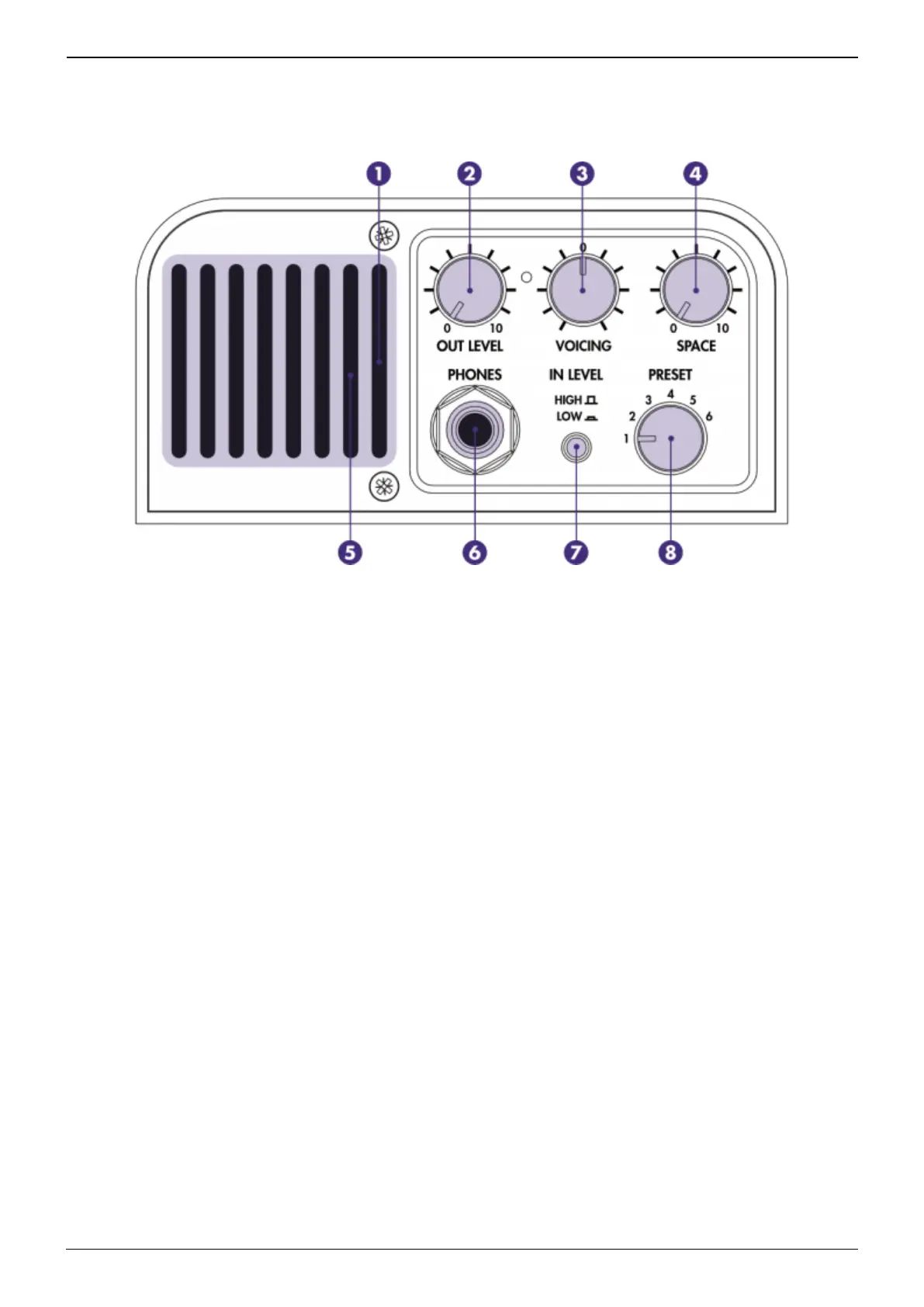
3.3 The front panel
1- Monitor the input and output levels with the grill LED (red = clipping (not in a good way) signal);
2- Control the level of the headphone and XLR DI outputs;
3- Adjust your global tone depending on tube amp choice and playing environment;
4- Add room space to widen the stereo effect on the headphone and XLR DI outputs;
5- Ensure the vent is kept clear (as this allows air to travel through for cooling);
6- Plug your headphones here;
7- Set the input level to avoid clipping of the signal; and
8- Instantly switch between your favorite presets;
3.4 The back panel


 To Next Page