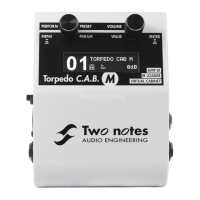
Configuring and using the TORPEDO C.A.B.
• 50Hz, 120Hz, 360Hz, 800Hz, 4000Hz (Bass mode): center frequency of each band, from the
lowest to the highest. You can adjust the gain, measured in dB, of each band.
7 SETUP mode
Button Function
HOLD TO SAVE/EDIT (toggle) Return to PERFORM mode
PRESET/PARAMETER Navigate the parameters
OUT LEVEL/VALUE Set a parameter value
HOLD TO SAVE/EDIT (hold) Save a preset between 01 and 00 (preset 100)
To enter the SETUP mode, press and hold the A switch, and press the EDIT button.The SETUP mode
groups all the global parameters of the TORPEDO Live. In this mode, you will have access, for exam-
ple, to the reception of a MIDI command or the syncing of the machine with the TORPEDO Remote.
Parameter
Value
A Sw
Short click on A function
A Ho
Hold A function
B Sw
Short click on B function
B Ho
Hold B function
MIDI CC
Control Change receive, On or Off
MIDI PC
Program Change receive, On or Off
MIDI CHANNEL
MIDI Channel selection, from 1 to 16 or ALL (the machine listens to all
MIDI channels)
MIDI MONITOR
Incoming MIDI command monitoring
• "- -": a command is received on a MIDI channel other than the
one you selected for the machine.
• "In": a command is received on the channel you have selected
for the machine.
REMOTE MONITOR
• No Connection: no active USB connection
• USB Connected: active USB connection
• Remote connected: active USB connection, sync with the TOR-
PEDO remote
Firmware
Current firmware version of the TORPEDO C.A.B.
Serial
Serial number
24 Two Notes Audio Engineering TORPEDO C.A.B.


 To Next Page