D4OPTRS 52 2019
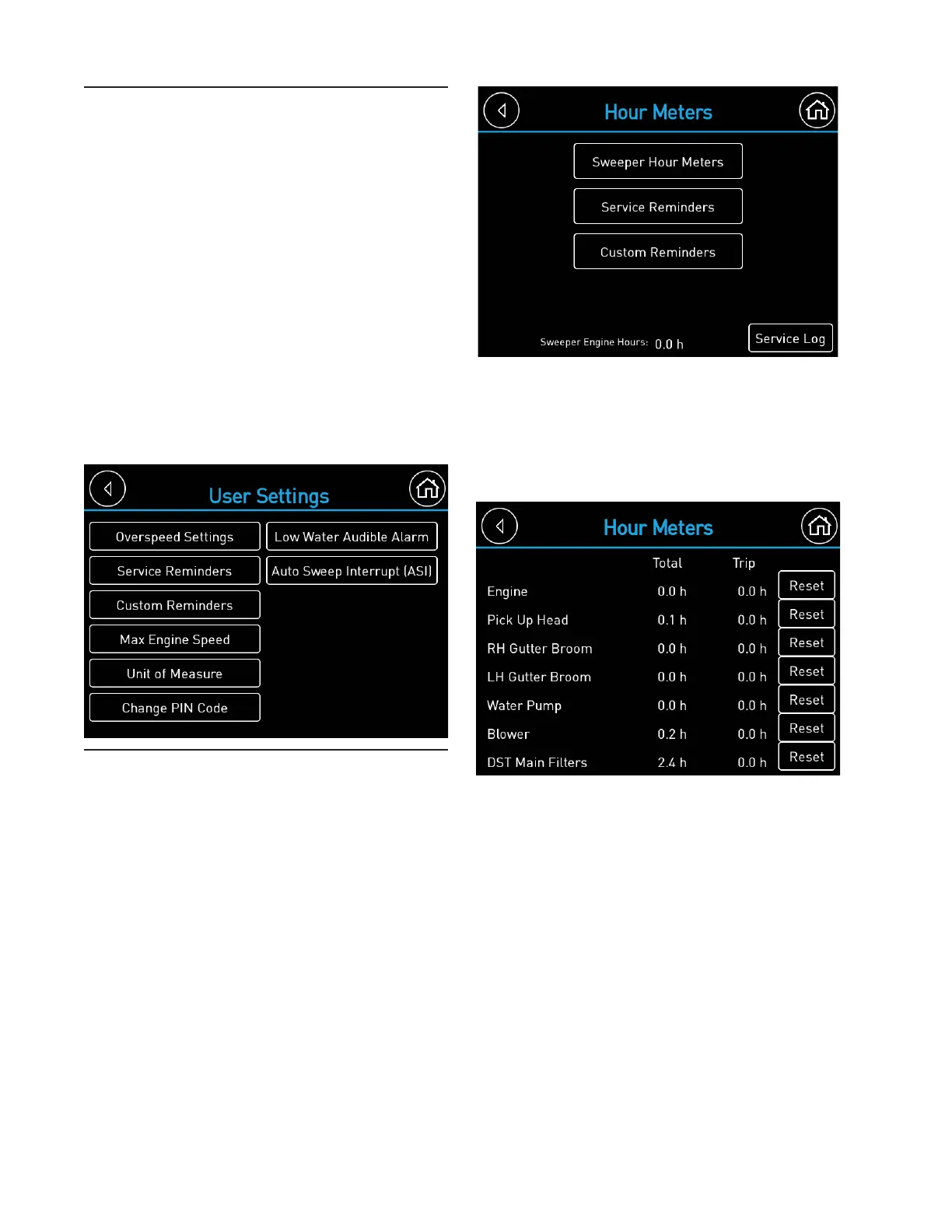
Hour Meters
Non-resettable and resettable trip hour
meters for engine, pick-up head, gutter
broom (RH and LH), water pump, and blower
functions are included with the BlueLogic
®
control system. In addition, programmable
service reminders are provided for many
scheduled maintenance items. The main
hour meter page will show the engine hours.
Pressing the “Sweeper Hour Meters” button
will show the sweeper hour meters. To reset
the trip hour meters, press the “Reset” button
next to the hour meter to be reset. Press
“OK” on the confi rmation window to reset the
trip hour meter.
Pressing the “Service Reminders” button
will show the Service Reminders page. The
BlueLogic
®
control system monitors machine
usage and will trigger a service message
when many recommended service intervals
are reached.
User Settings
There are some user confi gurable options.
These can be adjusted by the operator
or supervisor. To access this screen, the
customer PIN code must be entered. The
default PIN Code is “2345”. The PIN Code
can be changed if desired. Press the
Change PIN Code button and follow on
screen prompts. If equipped, the overspeed
warning set points can be adjusted within
allowable parameters or disabled. Service
reminders can be confi gured. If equipped,
the ASI operation can be confi gured. See
ASI section for details of available settings.
The maximum auxiliary engine speed can be
adjusted within allowable parameters. Unit of
Measure will allow units to be switched from
imperial (miles, psi/inwc, °F) to metric (km,
kPa, °C).


 To Next Page