2019 53 D4OPTRS
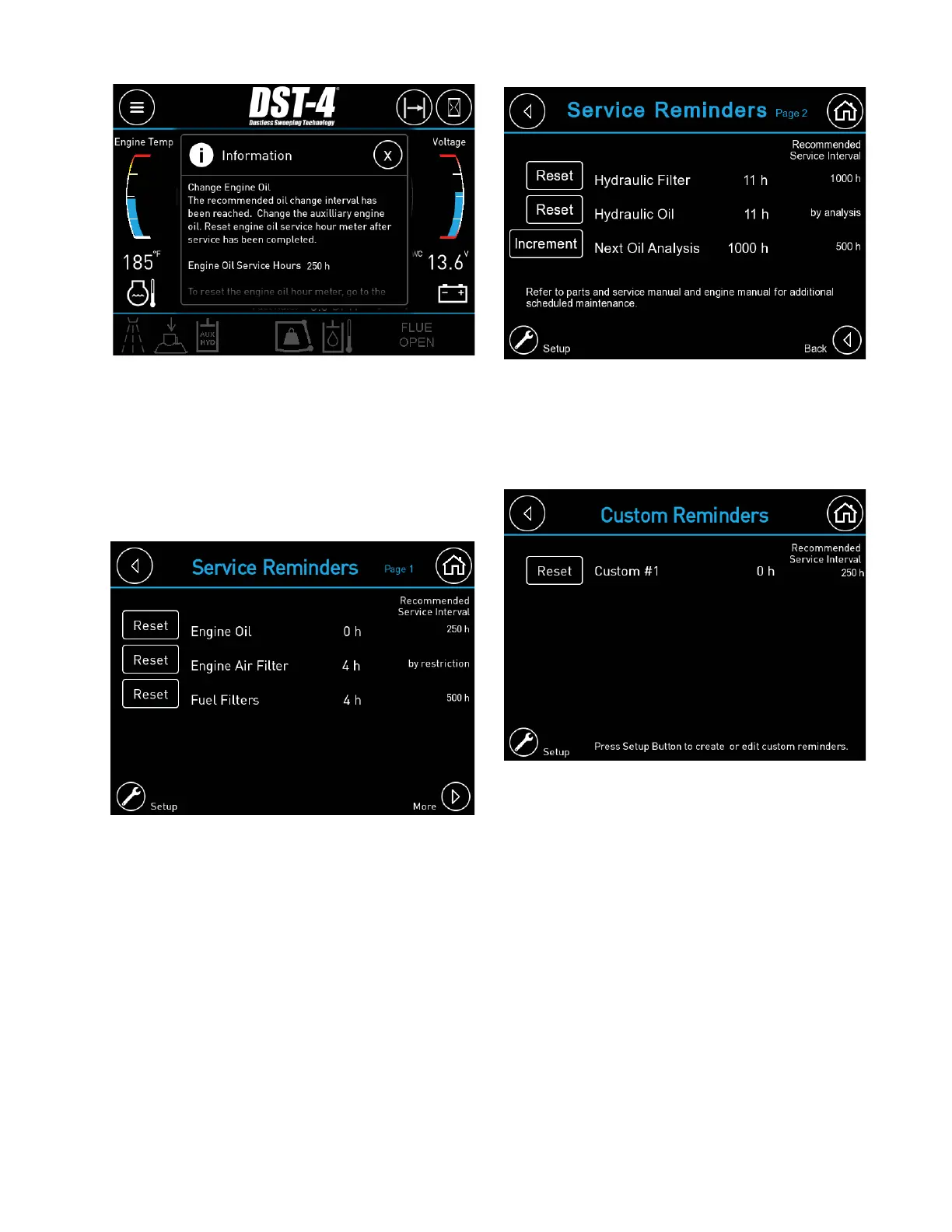
Page 2 of the service reminders includes
hydraulic oil and fi lters. If a hydraulic oil
sampling program is desired, the reminder
can be confi gured to trigger sampling at
1000 hours and every 500 hours thereafter.
After a good sample is completed, press the
increment button to bump the sampling trigger
point 500 hours. Resetting the hydraulic oil
hour meter will reset the oil sampling trigger
back to 1000 hours. To confi gure the service
reminders press the setup button. Enter the
User PIN code “2345” to access the settings.
The Service Reminders Page is used to
monitor and reset the service timers. The
recommended service interval for each item
will be shown on the right side of the screen.
Once the service is completed, reset the
timer by pressing the “Reset” button for the
corresponding reminder. Press the “More”
button to access additional reminders.
Five customizable service reminders are
provided. To access these reminders, press
the Custom Reminders button. To setup the
custom reminders press the Setup button on
the Custom Reminders page. Each reminder
must be enabled and confi gured by the user.
Each reminder allows the user to enter a
15 character description, a 45 character
message, and the trigger interval. The trigger
interval for Reminders 1 through 3 is based
on engine hour run time and can be adjusted
in 50 hour increments. The trigger interval
for Reminders 4 and 5 is in calendar days.
The date and time must be properly set for
reminders 4 and 5 to function properly. The
date and time may be lost if the battery is
disconnected for extended periods of time.


 To Next Page