SAFETY NOTICE AND GENERAL INFORMATION
1. Connect the product as described in the User’s Manual.
2. Follow the instructions in the User’s Manual of your computer.
3. Place the product away from humidity and avoid wet environments. Never use
this device near water.
4. The equipment must not be splashed by water.
5. Avoid introducing any objects or liquids into the product.
6. Do not place the product near heat sources, radiators, heating valves, ovens or
other devices emitting heat. Do not expose the product to any vibrations,
shock, dust, heat or direct sun radiation.
7. Devices using a power cord must only be connected to the type of power supp-
ly specified on its label.
8. Never apply brute force when inserting the power plug into the wall outlet. If
you cannot connect the power adapter, the wall outlet may be obsolete. In this
case, consult an electrician to replace the obsolete outlet.
9. Risk of electric shock when inadequate use of electrical power.
10. Install the power cord so that it cannot become damaged (by stepping on it or
placing objects on it). When unplugging the power cord, always pull from the
plug and never on the cable.
11. To avoid unnecessary energy consumption and possible risks, unplug the devi-
ce from the mains power when not using it for a long period of time. To fully
separate the device from the mains power, unplug the power cord from the
wall outlet. The power cord plug must be easily accessible.
12. Any repair and maintenance of the devices must be performed by qualified
service personnel only. Repair or maintenance is necessary when you observe
any kind of damage (e.g. damaged power cord or plug, when liquids have
entered the device, when objects have fallen onto the equipment, when the
device has been dropped, when the device has been exposed to rain or moistu-
re) or when you observe a reduced performance of the product.
13. To avoid the risk of electric shock, the case may only be opened by qualified
service technicians.
14. Risk of electric shock: if the power cord has been visibly damaged, turn the
device off immediately and unplug the power cord.
15. Do not remove the device’s cover. The internal components may use dange-
rous high voltage.
16. Only use a soft, dry and fluff-free cloth or brush. Do not use any detergents,
alcohol, benzene, furniture cleaner or any similar products.
17. Install all cables so that they cannot be tripped over.
18. Do not let children play with electrical equipment when not supervised by an
adult. Children may not recognise possible risks.
19. Do not drop the device, do not expose it to any vibrations or shock, and do
not shake it. Rough handling may damage internal circuits and mechanical
parts.
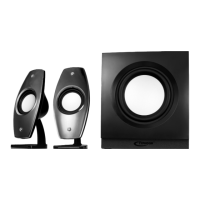
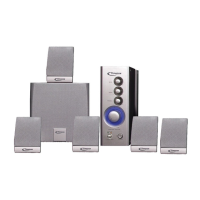
2.1 Design Speaker System
Article number: 20097307
All specifications and information are subject to changes without further notice
11


 To Next Page
 Loading...