GIMBAL CAMERA TILT CONTROL
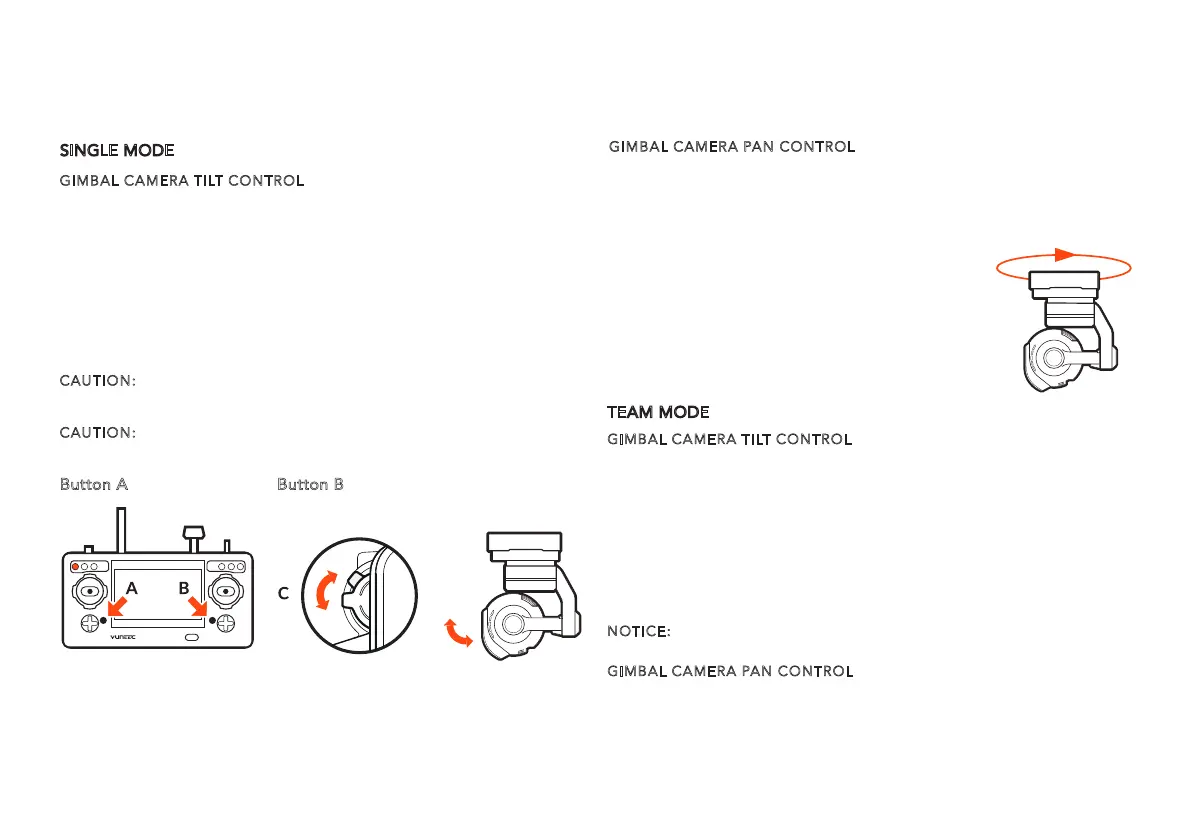
There is a gimbal tilt mode switch on ST16---S1. When the switch is in
up/middle position, the CGO3+ gimbal camera is in Angle Mode. Use
the slider (C) on the left side of the ST16 to set the tilt position of the
gimbal camera. When the S1 is in bottom position, the gimbal camera is
in Velocity Mode. When the slider (C) is in the middle position, it means
the velocity rate is 0 for the CGO3+, and it will stop tilting up/down.
When the slider (C) is above the middle position, theCGO3+ will start
tilting up. When the slider (C) is below the middle position, the CGO3+
will start tilting down. The distance between the slider(C) and the
middle position decides the velocity rate, the further distance, the
higher velocity it would be.
CAUTION:
You MUST stop recording video in order to take still photos.
It will take approximately 5 seconds to capture a still photo and before
you can take another.
CAUTION:
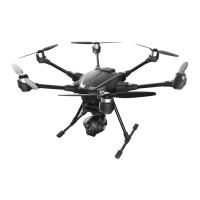
ALWAYS stop recording video before turning off Typhoon H
to avoid data loss.
GIMBAL CAMERA TILT CONTROL
There is a gimbal tilt mode switch on ST16---S1. When the switch is in
up/middle position, the CGO3+ gimbal camera is in Angle Mode. Use
the slider (C) on the left side of the ST16 to set the tilt position of the
gimbal camera. When the S1 is in bottom position, the gimbal camera is
in Velocity Mode. When the Elevator joystick is in the middle position,
it means the velocity rate is 0 for the CGO3+, and it will stop tilting
up/down. When the Elevator joystick is above the middle position, the
CGO3+ will start tilting up. When the Elevator joystick is below the
middle position, the CGO3+ will start tilting down. The distance
between the Elevator joystick and the middle position decides the
velocity rate, the further distance, the higher velocity it would be.
NOTICE:
Only in the velocity mode, the camera can tilt upwards
15°maximum.
GIMBAL CA
MERA PAN CONTROL
There is a gimbal pan mode switch on ST16---S2. When the switch
position is up, the gimbal camera is in Follow Mode. The pan control of
the gimbal camera is now disabled. The gimbal camera will adjust its
GIMBAL CAMERA PAN CONTROL
There is a gimbal pan mode switch on ST16---S2. When the switch
position is up, the gimbal camera is in Follow Mode. The pan control of
the gimbal camera is now disabled. The gimbal camera will adjust its
pan direction according to the aircraft’s movements. When the switch
is in the middle position, the gimbal camera is in Follow Pan Controlla-
ble Mode, the gimbal camera will adjust its pan
direction according to the aircraft’s movements.
Meanwhile, the pan control is activated, use the
K1 to set the pan position of the gimbal camera.
When the switch position is down, the gimbal
camera is in Global Mode. The pan direction of
the gimbal camera will be fixed regardless of the
aircraft’s movements. Use the K1 to set the pan
position of the gimbal camera.
16
CAMERA CONTROLS
Button A = Take Still Photo Button B = Start/Stop Recording Video
SINGLE MODE
TEAM MODE
pan direction according to the aircraft’s movements. When the switch
is in the middle position, the gimbal camera is in Follow Pan Controlla-
ble Mode, the gimbal camera will adjust its pan direction according to
the aircraft’s movements. Meanwhile, the pan control is activated, use
the aileron joystick to set the pan position of the gimbal camera.
When the switch position is down, the gimbal camera is in Global Mode.
The pan direction of the gimbal camera will be fixed regardless of the
aircraft’s movements. Use the aileron joystick to set the pan position of
the gimbal camera.


 To Next Page
 Loading...