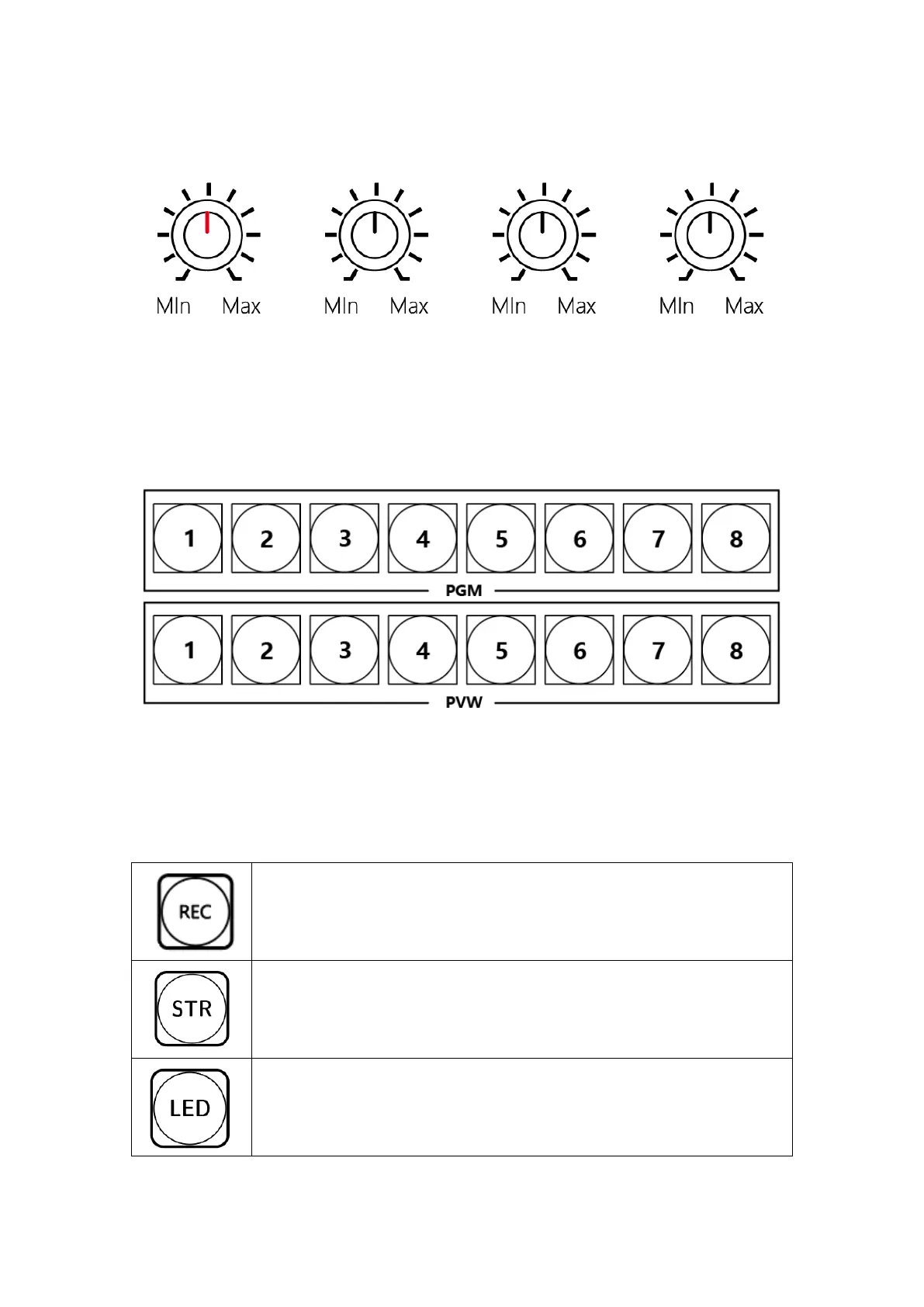
1) Audio Control
From left to right, corresponding to the PGM total output, input 1, input 2, and
PVW preview for volume control.
2) PGM /PVW 1-8
PGM/PVW main cut output and preview monitoring buttons, providing 1-8
switching buttons.
3) Functions and special effects
Record button, press to record, press again to cancel recording, the
status can be viewed in real time at the record button on the vMix
software window.
Live broadcast button, press to open/close live broadcast, you must
enable live broadcast in advance, and fill in the live broadcast
address in the VMIX push stream address.
Preview button, press on/off to output the video to the secondary
screen/large screen and other outputs, and the output must be set in
vMix.


 To Next Page