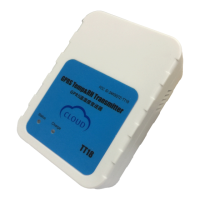
Tzonedigital_TT18 V2.1 Apr27, 2017
Set the time intervals of GPRS
Data in turn on and flight mode
X (3 Digital)
[1,60] Time interval
(Unit: min,default:5)
X=0, Use the UDP mode
X=1, Use the TCP mode(default)
Set the temperature&humidity
SMS alarm function
X=0, disable this function(default)
X=1,enable this function
Y, SMS number
Note:only send a sms alarm when
over or below the threshold, so
please the first set 020 command,
then set 003 command.
When bad condition only save data
A=[-40~125],high-temperature
threshold(unit:min,default:100)
B=[-40~125],low-temperature
threshold(unit:min,default:-40)
A must be bigger than B
if Temperatures exceed [A, B],it
will save data
C=[0~100],high-humidity
threshold(unit:%,default:100)
D=[0~100],low-humidity
threshold(unit:%,default:0)
C must be bigger than D
if Humidity exceed [A, B],it will
save data
E=[350,430],
low power threshold
(unit:10mv,default:350)
X: need to query the instructions
Clear history in the flash memory
It will set all parameter to factory
default value
(Excluding the Password).
It will reboot the TT18 by this
SMS command.
Read the machine records of Flash
Through the USB configure cable,
read the machine records in the
Flash to the computer, then all data
records will be empty
Only used to configure software
X: command, For example:
#D5005, Only used to configure
software


 To Next Page
 Loading...