
 Need help?
Do you have a question about the TZUMI ionVac SmartClean robovac v4 and is the answer not in the manual?
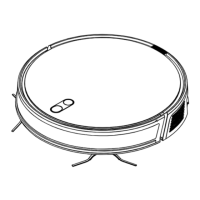
Details the sensors and physical structure of the SmartClean vacuum unit.
Explains the components and features of the integrated charging dock.
Illustrates and labels the buttons and functions of the remote control.
Important safety measures and usage guidelines before operating the vacuum.
Step-by-step guide on how to attach the side brushes to the vacuum.
Instructions on how to turn on the vacuum and initiate charging.
How to start, pause, and resume cleaning cycles using the vacuum or app.
Methods for returning the vacuum to the dock for automatic or manual charging.
Details on the vacuum's automatic cleaning route and process.
How to perform targeted cleaning for specific areas.
Procedure for cleaning along the edges of rooms.
Explanation of the random cleaning mode and its suitable environments.
Steps to download, set up, and connect the vacuum to the tzumi Smart Home app.
Instructions for cleaning and replacing the roller brush.
Guide for cleaning and reinstalling the side brushes.
Procedure for emptying and cleaning the dustbin and HEPA filter.
Information on how the auto-empty function works and when to replace the dust bag.
How to clean the anti-collision sensors for optimal performance.
Instructions for cleaning the cliff sensors to prevent falls.
How to clean the charging contacts on the vacuum and dock.
Tips for maintaining battery health and proper long-term storage.
Guidance on how to update the vacuum's firmware via the mobile app.
 General
| Brand | TZUMI |
|---|---|
| Model | ionVac SmartClean robovac v4 |
| Category | Vacuum Cleaner |
| Type | Robotic |
| Battery Type | Lithium-Ion |
| Battery Capacity | 2600mAh |
| Charging Time | 4-5 hours |
| Dustbin Capacity | 600 ml |
| Wi-Fi Connectivity | Yes |
| App Control | Yes |
| Filter Type | HEPA |
| Wet Mopping | No |
| Auto Recharge | Yes |
| Virtual Wall | No |
| Navigation Type | Random |
| Cleaning Modes | Auto, Spot, Edge |
| Sensors | Anti-collision, Cliff |
| Voice Control | Yes (Alexa, Google Assistant) |
| Run Time | Up to 90 mins |

 To Next Page