EasyManua.ls Logo

U-Line H-10029 - User Manual

U-Line H-10029
18 pages
Print Icon
To Next Page IconTo Next Page
Loading...
PAGE 1 OF 18 0422 IH-10029
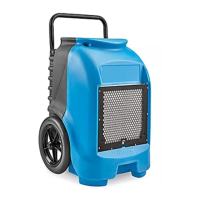
H-10029
INDUSTRIAL
DEHUMIDIFIER
1-800-295-5510
uline.com
SAFETY
INSTALLATION
WARNING! This unit has an electric shock
hazard, rotating fan and hot surface hazards.
Unplug unit before opening cover for cleaning
or servicing. Unit must be grounded.
Inspect the power cord before use. If cord is
damaged, do not use. Always grasp the plug
(not the cord) to unplug.
Insert three-prong plug on power cord into a
matching electrically grounded outlet. Do not
use adapter. Never cut off third prong. Do not
use an extension cord.
It is recommended to operate unit on a
115V/60 Hz circuit protected by a Ground Fault
Circuit Interrupter (GFCI) device.
• Keep motor and wiring dry.
Do not attempt to repair the unit. Contact
Uline Customer Service at 1-800-295-5510 for
assistance.
NOTE: Unit is shipped without the handle
attached. Install handle using the four 1/4-20
hex head bolts supplied and a 3/8" wrench.
Ensure bolts are firmly secured before using
unit.
NOTE: Unit operates by pulling moist air in
across a cold evaporator core. The moisture
in the air condenses on the coil. In certain
conditions, the machine operates in defrost
mode, warming any frost accumulated on
the evaporator coil back into water. The water
collects in a tray and is pumped out through
a hose.
IMPORTANT! Before moving the unit, ensure no
water is in the pump.
NOTE: Operate in an enclosed area, as this
creates a drying chamber. Close all doors and
windows that open to the outside to maximize
the unit's water removal efficiency. Keep
traffic through the drying room to a minimum.
Place dehumidifier against a wall, away from
obstructions, and keep it away from anything
that could block airflow into and out of the unit.
NOTE: Optimal drying temperatures range from
68-85°F.
Para Español, vea páginas 7-12.
Pour le français, consulter les pages 13-18.

Question and Answer IconNeed help?

Do you have a question about the U-Line H-10029 and is the answer not in the manual?

Overview

This document describes an industrial dehumidifier, model H-10029, manufactured by Uline.

Function Description

The Uline H-10029 is an industrial dehumidifier designed to remove moisture from the air. It operates by drawing in humid air, passing it over a cold evaporator coil where moisture condenses into water, and then discharging drier air. The collected water is pumped out through a hose. The unit features a control panel for operation and display of various settings and statuses, including dehumidifier ON/OFF, total hours, job hours, compressor delay, pump purging, defrost ON, and service error codes.

Important Technical Specifications

  • Electrical Requirements: The unit operates on a 115V/60 Hz circuit protected by a Ground Fault Circuit Interrupter (GFCI) device. It uses a 15-amp grounded outlet.
  • Temperature Range: Optimal drying temperatures range from 68-85°F (20-29°C). The unit is designed to operate in temperatures up to 90°F (32°C) and will continue to function down to 32°F (0°C).
  • Airflow: The unit has an air outlet for processed (dehumidified) air.
  • Water Removal: It features a condensate pump that automatically purges collected water through a drainage hose. The pump is designed to remove all water from the unit.
  • Refrigerant: The unit contains refrigerant, and the compressor delay function allows time for the refrigerant to settle before restarting.
  • Dimensions/Weight: The manual shows a diagram of the unit, indicating it is a portable, wheeled device with a handle for transport.

Usage Features

  • Setup:
    • The unit must be shipped and stored upright. If stored horizontally, it should be placed upright for at least 30 minutes before operation to allow oil from the compressor to return to the refrigerant coils.
    • It should be placed in an enclosed area, away from walls and windows, to maximize drying efficiency. Airflow should not be obstructed.
    • The drainage hose must be uncoiled and straightened, placed on the floor, and extended at least 20 feet above the top of the unit to prevent kinks or obstructions.
    • The power cord must be inspected for damage and plugged into a grounded outlet.
  • Operation:
    • Turning On/Off: The unit is turned on/off via the touchpad on the control panel.
    • Display: The display shows current operating status, including "DEHUMIDIFIER ON/OFF," "TOTAL HOURS," "JOB HOURS," "CMPRSR DELAY," "PUMP PURGING," "DEFROST ON," and "GET SERVICE ERXX."
    • Changing Language: The display language can be changed between English and Spanish.
    • Purge Function: The unit has a PURGE function to empty water from the pump reservoir. This is recommended before moving the unit or after drying is complete. The pump automatically purges every six minutes during normal operation.
    • Defrost Mode: During normal operation, the temperature sensor detects frost forming on the coils, initiating a defrost cycle. The display will show "DEFROST ON," and dehumidification will pause until the cycle is complete.
  • Transportation: Before transport, the external drain hose should be removed, drained, and stored in the front pocket. It's crucial to purge all water from the pump before moving the unit.

Maintenance Features

  • Safety: Always disconnect the unit from power before performing any maintenance. Inspect the power cord for damage regularly.
  • Cleaning:
    • Coils/Serpentines: Check coils monthly and clean when visibly dirty to prevent overheating.
    • Air Filter: The air filter should be checked regularly and changed when visible dust and debris accumulate. Filters are individually wrapped for protection and must be unwrapped before installation. It's important to change the filter after use in mold remediation or other potentially hazardous environments.
  • Troubleshooting: The manual provides a comprehensive troubleshooting guide for common issues such as the unit not operating, not drying effectively, pump malfunction, or collecting too little water. Error messages (ER 1-9) are displayed on the control panel, and specific solutions are provided, including contacting Uline Customer Service if issues persist.

This dehumidifier is designed for robust industrial use, emphasizing safety, efficient moisture removal, and ease of maintenance.

U-Line H-10029 Specifications

General IconGeneral
BrandU-Line
ModelH-10029
CategoryDehumidifier
LanguageEnglish