
 Need help?
Do you have a question about the U_RIGHT TD-4279 and is the answer not in the manual?
Key details about dehydration, unusual results, and sample types for proper use.
Defines the system's purpose and user base for monitoring diabetes control.
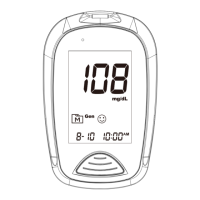
Identifies and explains all symbols and readings on the meter's display for user understanding.
Guides the user on calibrating the meter using code strips for accurate readings.
Emphasizes verifying the meter code matches the test strip vial code to prevent inaccurate results.
Step-by-step guide on how to conduct a control solution test using the meter for quality assurance.
Instructions for interpreting control solution test results and addressing out-of-range values.
Step-by-step guide to conduct a blood glucose measurement using the meter and test strip.
How to view the blood glucose result and safely remove the used test strip after testing.
Lists meter error codes (E-b, E-U, E-E, E-F) and recommended corrective actions for troubleshooting.
Covers additional error codes (E-C, E-2, E-Ł) related to coding and temperature issues.
Provides solutions for common problems like no display, test not starting, or out-of-range control results.
 General
| Model | TD-4279 |
|---|---|
| Brand | U_RIGHT |
| Test Time | 5 seconds |
| Measurement Range | 20-600 mg/dL |
| Sample Type | Whole blood |
| Operating Conditions | 10-40°C, 10-90% RH |
| Storage Conditions | -20 - 60 °C (-4 - 140 °F), 10 - 90% RH |

 To Next Page