Need help?
Do you have a question about the U-tec Ultraloq LATCH 5 FINGERPRINT and is the answer not in the manual?
Search for the U-tec app in your device's app store and download it.
Create a new U-tec account or log in to an existing one to proceed.
Add your Ultraloq lock to the U-tec app via scanning or by selecting from categories.
Set up new users with fingerprint, code, or email access to the lock.
Unlock the door by touching the fingerprint reader with a registered fingerprint.
Enter your 4-8 digit code on the touchscreen to unlock the door.
Unlock the lock remotely or locally using the U-tec mobile application.
Solutions for common problems like door handle unlock issues or low battery.
Instructions for factory resetting the lock and actions for a lost paired smartphone.
Information regarding the lock's log storage capacity and third-party accessory use.
The Ultraloq Latch 5 Fingerprint Smart Fingerprint Lock is a sophisticated security device designed to provide convenient and secure access to your home or office. This user guide, version 1.0, outlines the features, operation, and maintenance of the lock, emphasizing its smart capabilities and multiple unlocking methods.
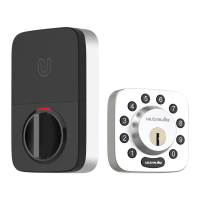
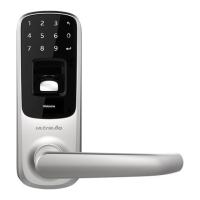
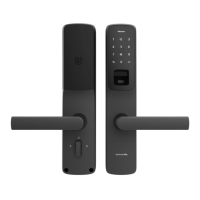
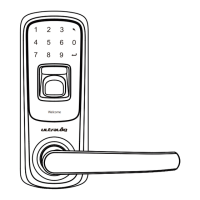
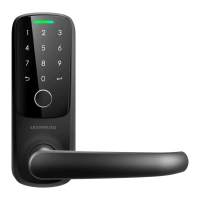
The Ultraloq Latch 5 Fingerprint lock integrates advanced technology to offer a secure and user-friendly experience. Its primary function is to secure a door, allowing access through various methods including fingerprint recognition, a numeric code, and a smartphone application. The lock is designed for both exterior and interior use, with distinct components for each side of the door. The exterior unit features a touchscreen for code entry and a fingerprint reader for biometric authentication, while the interior unit houses the battery compartment, a reset button, and the mechanical components for locking and unlocking.
The lock's core functionality revolves around its ability to store and recognize multiple fingerprints and user codes, making it suitable for households or offices with several users. It communicates with a smartphone app, allowing for remote management, user addition, and activity logging. The smart features extend to providing notifications, such as low battery alerts, ensuring the lock remains operational and secure.
The Ultraloq Latch 5 Fingerprint offers a variety of usage features designed for convenience and security:
Multiple Unlocking Methods:
User Management via U-tec App: The U-tec App is central to managing the lock.
LED Indicator: The exterior unit features an LED indicator that provides visual feedback on the lock's status, such as authorized or denied access, and low battery warnings.
Communication Status: The exterior unit also indicates communication status, showing when the lock is actively communicating with a paired device.
Low Battery Alert: The lock is designed to alert users when the battery is low. The low battery indicator light will turn red, signaling that the batteries are running out. This proactive warning helps prevent unexpected lockouts.
Maintaining the Ultraloq Latch 5 Fingerprint lock is straightforward, with features designed to ensure its longevity and continued security:
Battery Replacement: The lock operates on batteries, and the interior unit houses the battery compartment. When the low battery indicator light turns red, it's time to replace the batteries. The backup mechanical keys ensure access is still possible even if the batteries completely die before replacement.
Factory Reset: The lock can be reset to its factory default settings. This is done by pushing the Reset Button (located above the batteries in the Interior Assembly) with a reset needle until one long beep and two short beeps are heard. It's important to note that a factory reset will erase all stored data, including fingerprints and user codes. If the lock is managed via the U-tec App, the owner should first remove the lock from their U-tec Account by selecting "Delete and Reset" in the app.
Troubleshooting and Support: The user guide provides a FAQ section to address common issues:
Online Support: For any further questions or assistance, users are directed to the official support website (https://support.u-tec.com), which serves as a comprehensive resource for troubleshooting and information.
By combining robust security features with user-friendly operation and clear maintenance guidelines, the Ultraloq Latch 5 Fingerprint Smart Fingerprint Lock offers a reliable and modern solution for door access control.
 General
| Connectivity | Bluetooth |
|---|---|
| Power Supply | 4 AA Batteries |
| Battery Life | Up to 1 year |
| Material | Zinc Alloy |
| Operating Temperature | -4°F to 140°F (-20°C to 60°C) |
| User Codes | Up to 50 |
| Access Methods | Fingerprint, Keypad, Key |
| Fingerprint Capacity | 100 |
| Weather Resistance | IP65 |
| Door Thickness | 1.38 to 2 inches |
| Finish | Satin Nickel |
| Warranty | 1 year |

 To Next Page