

EasyManua.ls Logo

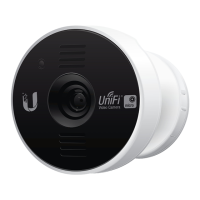
Ubiquiti UVC-Micro - User Manual

Ubiquiti UVC-Micro
32 pages
Print Icon
To Next Page IconTo Next Page
Loading...
Model: UVC-Micro
Quick Start Guide
®
Question and Answer IconNeed help?

Do you have a question about the Ubiquiti UVC-Micro and is the answer not in the manual?

Summary

Hardware Overview

LED Indicator Status

Explains the LED states during bootup, Wi-Fi connection, and network connectivity.

Reset Button Functionality

Details how to perform a factory reset by holding the reset button.

Installation

Mounting on Metal Surfaces

Instructions for attaching the camera to metal surfaces using its magnetic base.

Wall Mounting with Adhesive Tape

Guides on using adhesive mounting tape for wall installation of the base plate.

Corner Mounting

Attaching the Camera

Connecting Power

Adopting the Camera

UniFi Video Software Integration

Safety Notices

General Safety Precautions

Important warnings regarding water submersion and electrical storms for safe operation.
RF Exposure and CE Marking

Summary

Hardware Overview

LED Indicator Status

Explains the LED states during bootup, Wi-Fi connection, and network connectivity.

Reset Button Functionality

Details how to perform a factory reset by holding the reset button.

Installation

Mounting on Metal Surfaces

Instructions for attaching the camera to metal surfaces using its magnetic base.

Wall Mounting with Adhesive Tape

Guides on using adhesive mounting tape for wall installation of the base plate.

Corner Mounting

Attaching the Camera

Connecting Power

Adopting the Camera

UniFi Video Software Integration

Safety Notices

General Safety Precautions

Important warnings regarding water submersion and electrical storms for safe operation.

RF Exposure and CE Marking

Ubiquiti UVC-Micro Specifications

General IconGeneral
BrandUbiquiti
ModelUVC-Micro
CategoryWebcam
LanguageEnglish