EasyManua.ls Logo

UBX UBR510B - User Manual

UBX UBR510B
16 pages
Print Icon
To Next Page IconTo Next Page
Loading...
Model. UBR510B
INSTRUCTION
MANUAL
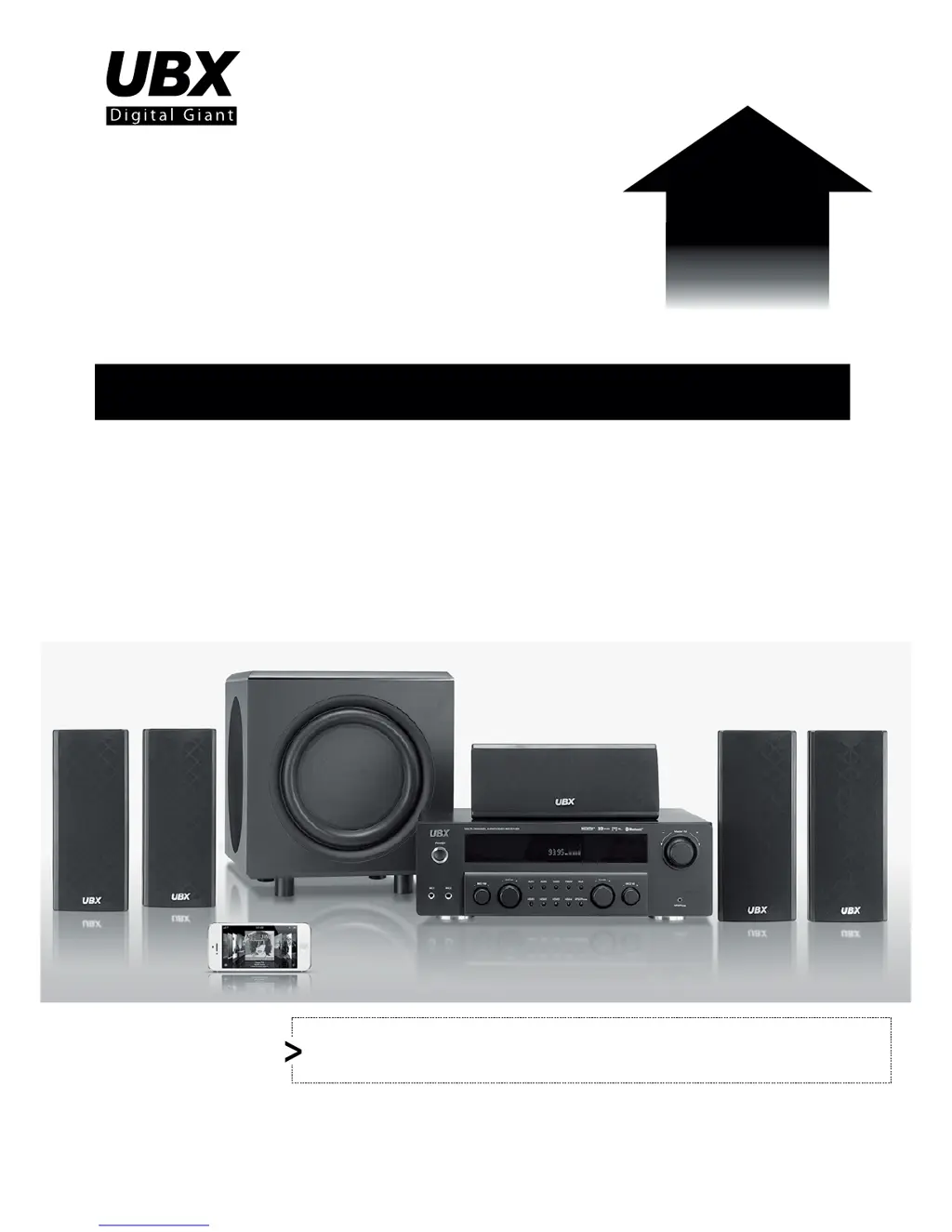
5.1CH Surround AV Amplier Package
with 3D HDMI and Bluetooth
Switchable Dual Voltage : 115V or 230V(Preset to 230V)
Please make sure to set a right voltage before power on!
NOTICE
Software
&
Hardware Upgrade!
NEW

Questions and Answers

  • M
    Mikayla PinedaAug 3, 2025
    Why does my UBX Receiver remote control not work?
    • M
      Mr. Timothy GutierrezAug 3, 2025
      The remote control might not be working because infrared signals are being blocked; remove any obstacles between the remote and the main unit. If that doesn't work, you may be out of range; move closer to the unit, facing the sensor. Also, check the batteries; weak or flat batteries should be replaced.
  • K
    kevin47Aug 13, 2025
    What to do if my UBX UBR510B Receiver cannot scan radio stations?
    • J
      Jason WilsonAug 13, 2025
      If your UBX Receiver cannot scan radio stations, the signal strength of the stations may be too weak. Try adjusting manually instead of using the automatic scanning function.
  • R
    Rebecca AndersonAug 22, 2025
    Why is the FM reception poor on my UBX UBR510B?
    • A
      Alicia CastanedaAug 22, 2025
      Poor FM reception on your UBX Receiver could be due to the FM antenna not being optimally positioned. Try adjusting the FM antenna's position to improve reception.

Summary

Safety Information

Safety Precautions

Explains how to achieve enjoyment and performance by reading the manual before operating the product.

Safe Equipment Use Guidelines

Details guidelines for safe operation and use of electrical equipment, covering connections and environmental factors.

Introduction

Product Features Overview

Lists the key features of the 5.1CH Surround AV Amplifier Package, including connectivity and audio capabilities.

Included Accessories

Details the items included in the package, such as remote control, manual, antennas, batteries, and cables.

Panel and Remote Operation

Front and Back Panel Layout

Describes the layout and functions of the front and rear panels of the AV receiver unit.

Remote Control Operation

Explains the operation and buttons of the remote control for managing the AV receiver's features.

Remote Battery Installation

Provides instructions and precautions for installing batteries in the remote control unit.

Input Modes

Switching Between Input Sources

Guides users on how to switch between different input sources like HDMI, AUX, MP3/iPhone, and Bluetooth.

Reference Section

Troubleshooting Guide

Offers solutions for common problems such as no power, no sound, or incorrect speaker output.

Technical Specifications

Lists technical specifications for the amplifier, tuner, microphone, inputs, and outputs.

Limited Warranty

Warranty Terms and Conditions

Outlines the terms and conditions for the limited warranty provided with UBX products.

Warranty Coverage and Service

Details the coverage period, what is covered, and the procedure for obtaining warranty service.

Warranty Procedure

Explains the steps required for returning a product for repair or replacement under warranty.

UBX UBR510B Specifications

General IconGeneral
BrandUBX
ModelUBR510B
CategoryReceiver
LanguageEnglish