
 Need help?
Do you have a question about the Uchida Yoko AeroCut X and is the answer not in the manual?
Defines warning and caution symbols used in the manual.
Provides essential safety guidelines for machine operation.
Key steps and checks before operating the machine.
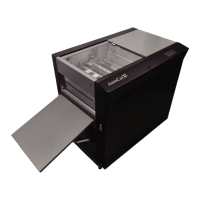
Identifies major components and their locations on the machine.
Lists all items provided with the machine.
Explains the functions and layout of the touch screen interface.
Details suitable paper weight, quality, and curl limits.
Defines key terms related to the machine's layout and operation.
Securing the machine, locking brakes, and powering on.
Inputting cut patterns and number of sheets for processing.
Setting machine parameters and initiating the cutting process.
Procedures for loading paper and configuring the stacker.
Setting the waste box and controlling operations like start/stop.
Procedures for stopping, ending, and powering off the machine.
Selecting and applying pre-configured cutting patterns.
Creating and managing user-defined cutting patterns.
Utilizing FLEX MODE for complex cutting layouts.
Procedures for saving and retrieving job patterns and settings.
Functionality to copy and paste job names for data management.
Guide to attaching and using the Y-perforator unit.
Using barcode reader and belt conveyor tray functions.
Tuning suction and blowers for optimal paper feeding.
Fine-tuning for paper skew, crease depth, and operating speed.
Correcting cutting alignment and measurement discrepancies.
Using manual controls for inching and specific functions like slitter.
Steps to clear paper jams and understand error messages.
Solutions for common operational problems like paper feed issues.
Summary of machine dimensions, power, and environmental requirements.
 General
| Brand | Uchida Yoko |
|---|---|
| Model | AeroCut X |
| Category | Office Equipment |
| Language | English |

 To Next Page