Need help?
Do you have a question about the UCHIDA AeroDieCut and is the answer not in the manual?
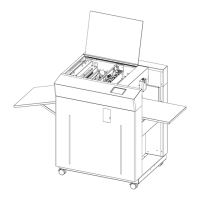
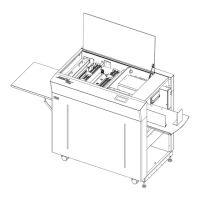
Lists and identifies the main components of the AeroDieCut machine.
Specifies suitable paper weights and types, and lists unsuitable paper stocks.
Step-by-step guide for powering up the AeroDieCut machine and its initial display.
Details the automatic initial setting process required before starting operations.
Explains how to select and prepare jobs, including setting job data and the die board.
Guides on entering the number of sheets and loading paper onto the feed table.
Instructions for cleaning and checking the press plate and base plate before operation.
Describes how to initiate an automatic cutting job once all settings are complete.
Procedures for stopping the machine during operation and safely powering it down.
Overview of the details screen for inputting job parameters like die board and print position.
Explains settings for controlling sheet layout and repetition for multifaceted cutting.
Detailed explanation of various data inputs required for job setup, including pressurization and position.
Instructions on how to save current job configurations to the machine's memory.
Procedures for retrieving previously saved job data by job number or list.
Guides on modifying existing job data and removing unwanted saved jobs.
Step-by-step instructions for removing and installing die boards.
How to calibrate the force applied by the press roller for optimal cutting.
Explains the interface and controls for manual operation of machine components.
Details the various settings available on the machine's settings screen.
How to adjust for print shifts in the feeding direction using image shift compensation.
Correcting print shifts relative to the cutting position by adjusting left/right placement.
Calibrating for print stretching or shrinking effects in multifaceted cutting.
Adjusting for print shifts in the depth direction using the feed unit.
Correcting clockwise or anticlockwise skew in printed output.
Solutions for problems like paper not feeding correctly or multiple sheets feeding.
Tips for resolving frequent paper jams and improving overall cutting quality.
Lists detailed technical parameters of the AeroDieCut machine.

 To Next Page
 General